
Maestro MCP
Agentic UI testing for mobile apps
Let Claude, Cursor, or any coding agent write and run your mobile tests on a live emulator or simulator. It fixes what breaks as it goes, and hands you deterministic end-to-end tests that keep running in CI.
Free and open-source · About 5 minutes to set up
See it run
Watch your agent test your app
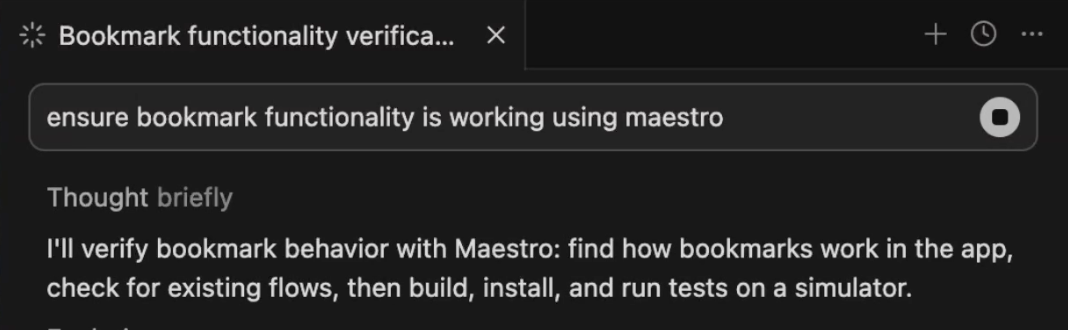
The agent opens an emulator or simulator, inspects the view hierarchy, writes a Maestro flow, runs it, and reads the result the same way you would. When something fails, it sees the failure and fixes it, without leaving your coding agent.
How it works
From prompt to passing test
Step 1
Connect
Add the Maestro MCP server to your agent once. It ships inside the Maestro CLI, so there's nothing else to run.
Step 2
Describe
Tell your agent what to test in plain language: "log in, add an item to the cart, and check out." No selectors to memorize, no boilerplate.
Step 3
The agent drives the device
It inspects the screen, writes a Maestro flow in clean YAML, runs it on a live emulator or simulator, and self-corrects until it passes. You keep the flow as a repeatable end-to-end test.
The flows your agent writes are plain YAML you own and version. They keep running in CI long after the chat is over.
Features
Battle-tested, AI-native
Robust, open-source, time-tested - and now fully primed for human+AI development.
Close the agentic loop
Unlock high-velocity mobile development by powering up your agents with Maestro's AI toolkit.
> write Maestro tests for the new settings screen, including setting/testing each setting within
with full test plan, pls
● Let me look at the live screen and existing Maestro tests to understand what needs testing.
Read emulator screen hierarchy, searched for 1 pattern, read 4 files, listed 1 directory
● Now I have a clear picture of the settings screen. Let me write a suite of focused Maestro tests.
---
Here are the tests I propose:
Structure / Smoke
1. settings_sections_visible - scroll through the full screen and assert every section header is present
Content Correctness
2. settings_about_shows_version - About section shows Version and Build rows
3. settings_voice_section_no_api_key - voice section shows no voices loaded
Pickers
4. settings_sample_rate_picker - verify sample rate options
5. settings_effects_profile_picker - verify effects profile options
Persistence
6. settings_toggles_persist - toggle every switch, restart app, verify saved state
7. settings_voice_rate_persists - adjust speaking rate and verify value after relaunch
8. settings_audio_encoding_persists - choose MP3 and confirm selection survives restart
Reset
9. settings_reset_to_defaults - reset all TTS settings and verify confirmation
10. settings_reset_cancel - cancel reset flow and verify settings remain unchanged
Navigation
11. settings_history_button_navigates - tap History and verify empty state or recent sessions
12. settings_back_returns_home - navigate back and assert the home screen is visible
Accessibility
13. settings_controls_accessible_labels - verify controls expose stable accessible labels
14. settings_dynamic_type_layout - increase text size and verify rows remain tappable
15. settings_voiceover_order - assert VoiceOver traversal follows visual order
Generate deterministic E2E tests
Maestro tests are human-readable YAML files, not black boxes. Repeatable, auditable, trustworthy.
Build on open-source integrity
Extensible and with no vendor lock-in, Maestro is the foundation for thousands of teams’ mobile testing.
t@macbookpro Code % git clone https://github.com/mobile-dev-inc/Maestro.git
---
Cloning into 'Maestro'...
remote: Enumerating objects: 32693, done.
remote: Counting objects: 100% (1379/1379), done.
remote: Compressing objects: 100% (652/652), done.
remote: Total 32693 (delta 1101), reused 743 (delta 723), pack-reused 31314
Receiving objects: 100% (32693/32693), 925.09 MiB | 13.99 MiB/s, done.
Resolving deltas: 100% (14496/14496), done.
---
t@macbookpro Code %
Install
Get your agent testing in minutes
Prerequisites
- Java 17 or higher. Make sure
JAVA_HOMEpoints to it (java -versionto check). - A coding agent that supports MCP (Claude Code, Cursor, Codex, Gemini, Copilot, and more).
Install the Maestro CLI
The MCP server ships inside the CLI, so this is the only download. Pick your OS:
curl -fsSL "https://get.maestro.mobile.dev" | bashRun maestro --help to verify that the Maestro CLI is working properly.
Install the Maestro MCP on your coding agent
claude mcp add maestro -- maestro mcpSee the Claude Code MCP docs for scope options (--scope user, --scope project, etc.).
Restart and start building
Restart your coding agent, then let your agent handle checking its own work against a live mobile emulator or simulator. And when you're ready, generate repeatable end to end tests to ensure your feature doesn't break going forward.
FAQ