
Best Appium Alternatives
If Appium feels too complex or maintenance-heavy, there are other tools that might suit your needs better. Whether you're testing mobile apps, web platforms, or both, these five alternatives offer solutions tailored to specific requirements:
- Maestro: YAML-based testing for iOS and Android with codeless options and flakiness handling. Free core framework.
- Espresso: Google's Android-specific testing tool. Reliable, fast, and free, but limited to Android.
- XCUITest: Apple's native iOS testing framework. Integrated with Xcode, free, and highly stable but iOS-only.
- Detox: Designed for React Native apps, supports iOS and Android. Free and effective but requires app instrumentation.
- Cypress: Perfect for web apps with JavaScript-based scripting. Free with paid cloud options. No support for native mobile apps.
Quick Comparison:
| Tool | Platforms | Language | Flakiness Handling | Cost | Key Limitation |
|---|---|---|---|---|---|
| Maestro | iOS, Android | YAML | Built-in tolerance | Free | Limited for complex tests |
| Espresso | Android only | Java/Kotlin | UI thread sync | Free | Android-only |
| XCUITest | iOS only | Swift/Obj-C | Native-level stability | Free | iOS-only |
| Detox | React Native (iOS/Android) | JavaScript | App-state sync | Free | React Native-focused |
| Cypress | Web (browsers) | JavaScript | Automatic waiting | Free core, paid cloud | No native app support |
Each tool has strengths and limitations. Choose based on your platform, team expertise, and project needs.
Appium vs Espresso / XCUITest: Pros & Cons
1. Maestro
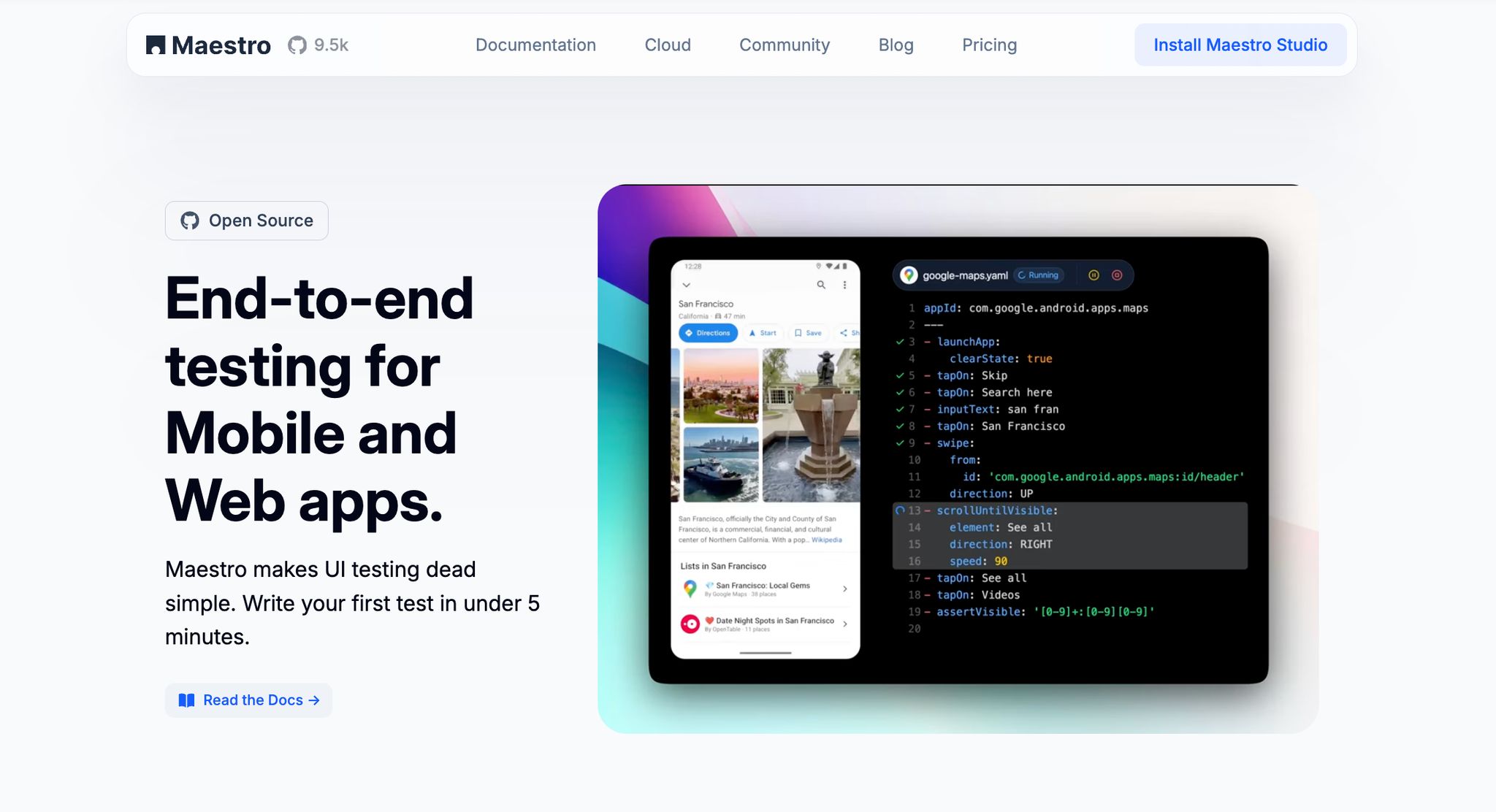
Maestro is a cutting-edge, open-source tool designed for mobile UI testing. It tackles the common challenges of traditional automation and simplifies the process with its declarative YAML flows, making it accessible to a broad range of users.
Platform Support
Maestro works seamlessly with both iOS and Android. It supports iOS simulators and Android devices (both physical devices and emulators). Note: Maestro does not currently support physical iOS devices natively. It supports native apps, React Native, Flutter, and WebViews. On top of that, Maestro extends its functionality to desktop browsers, enabling teams to test both mobile and web applications within a single framework.
Scripting Language
Tests in Maestro are written using YAML-based flows. This declarative syntax allows you to describe actions like launching an app, tapping on elements, entering text, and verifying outcomes in a straightforward and easy-to-read format. Since the tests are interpreted rather than compiled, you can quickly iterate and see immediate results when making changes to your test flows.
Codeless/Visual Support
For those who prefer a visual approach, Maestro Studio Desktop offers a free, lightweight IDE for creating and running tests without needing the terminal. Available for macOS, Windows, and Linux, it provides AI-assisted test creation through MaestroGPT, visual flow building, element inspection, and workspace management. While it simplifies the testing process, users still work with YAML flows rather than purely visual, codeless automation.
Flakiness Handling
One of Maestro's standout features is its ability to handle flakiness, a common issue in mobile app testing. Mobile UIs can be unpredictable, with elements occasionally misbehaving or taps not registering consistently. Maestro addresses these challenges by automatically compensating for such instabilities. It also manages content loading delays by waiting just long enough for dynamic content or network requests to load, eliminating the need for manual sleep() calls and ensuring smoother, more reliable test execution.
Pricing
Maestro operates on a freemium model. The core framework is entirely free and open-source, offering unlimited local testing through Maestro CLI, Maestro Studio, and AI-powered tools.
For teams looking to scale, Maestro Cloud provides advanced test execution capabilities at $250 per device per month for mobile testing (Android and iOS) and $125 per browser per month for web testing. This cloud solution includes parallel test runs, unlimited hosted executions, detailed reporting, and CI/CD integrations. Enterprise customers can also opt for custom pricing plans, which include features like SSO, premium support, and fully managed test cases, catering to organizations with specific security and oversight needs.
With this comprehensive offering, Maestro sets a high standard as we explore other specialized tools in this comparison.
2. Espresso
Espresso is Google's in-house framework designed specifically for Android. It offers seamless integration with Android Studio, making it a go-to choice for fast and dependable UI testing.
Platform Support
Espresso is laser-focused on Android, allowing it to interact deeply with platform-specific UI components. Whether you're testing on physical devices or emulators, it provides flexibility to fit your testing environment.
Scripting Language
Espresso test scripts are written in Java or Kotlin within Android Studio. The framework simplifies the process with tools like the Test Recorder and pre-built code templates. However, this setup requires close integration with your app's codebase and a solid understanding of Android development.
Flakiness Handling
One of Espresso's standout features is its ability to reduce test flakiness. It uses UI thread synchronization and idling resources to ensure tests run only after UI operations are complete. Its native design further bolsters reliability by precisely interacting with Android's UI components.
Espresso and XCUITest offer the fastest, most stable tests for their respective platforms due to native integration, but they're limited to single-platform testing.
Pricing
Espresso is completely free as part of the Android development toolkit. The only costs involved are related to creating test scripts and maintaining your testing infrastructure.
Next, we'll dive into XCUITest to explore another native testing framework.
3. XCUITest
XCUITest is Apple's built-in automation framework designed exclusively for iOS apps. Since it's integrated directly with Xcode, it’s a natural fit for teams already immersed in Apple's development tools.
Platform Support
XCUITest focuses solely on iOS, making it incompatible with Android. This exclusive approach allows it to take full advantage of Apple’s platform-specific features and UI components. Tests can be executed on both iOS simulators and physical devices, giving testers the flexibility to choose the environment that best suits their needs.
Scripting Language
With XCUITest, test scripts are written in Swift or Objective-C. If you're familiar with either of these languages, creating tests becomes a more seamless process. Plus, its integration with Xcode simplifies the workflow for writing, running, and debugging tests. However, to fully harness the framework's capabilities, a solid understanding of Swift or Objective-C is a must.
This well-structured scripting framework also helps reduce test flakiness, making your tests more reliable.
Flakiness Handling
One of XCUITest’s strengths is its ability to deliver stable tests by tapping into the iOS system at a deeper level. As an instrumented framework, it interacts more precisely with UI elements compared to black-box testing tools. Using accessibility IDs ensures accurate element detection, while setting the app’s view state can eliminate redundant setup steps.
Pricing
XCUITest is entirely free as part of the Xcode development suite. The only costs to consider are the time spent creating and maintaining test scripts and any expenses tied to using physical iOS devices for testing.
Next, let’s explore how Detox offers a different perspective on mobile testing.
sbb-itb-e343f3a
4. Detox
Detox is a gray-box, open-source automation framework designed with a focused approach to mobile testing. It’s particularly effective for testing React Native applications by observing the internal state of a running app.
Platform Support
Detox is tailored for React Native and supports both iOS and Android platforms within this ecosystem. This tight integration ensures it works seamlessly for testing React Native apps.
Scripting Language
Tests in Detox are written in JavaScript, which aligns perfectly with the React Native development environment. This makes it easier for developers already familiar with JavaScript to integrate Detox into their workflow.
Flakiness Handling
One of Detox’s standout features is its ability to reduce flaky tests. By using its gray-box approach, it monitors the app's internal state and synchronizes test actions with the app’s behavior. For example, Detox waits for tasks like API calls or animations to finish before moving on to the next step. This synchronization mechanism ensures faster, more reliable test execution for React Native apps. However, using Detox requires app instrumentation, which involves installing a library within the app to enable communication with an external Detox server.
Pricing
Detox is completely free and open-source, making it a cost-effective choice for teams. The only investment required is the time spent setting up the framework, writing test scripts, and maintaining the test suite.
Next, we’ll dive into Cypress, a tool focused on web application testing.
5. Cypress

Cypress stands out among testing tools by focusing specifically on web applications. Unlike the mobile-centric tools mentioned earlier, it is built for end-to-end testing of web-based platforms, making it a go-to choice for developers working exclusively on web projects.
Platform Support
Cypress works seamlessly with modern browsers like Chrome, Edge, Electron, and Firefox. While it’s great for testing mobile web applications, it doesn’t support native app automation. One of its standout features is its ability to run directly in the browser, enabling perks like automatic waiting and real-time reloading. However, this browser-centric design also means it’s limited to web applications and doesn’t extend to native platforms.
Scripting Language
Cypress uses JavaScript for writing tests, which aligns perfectly with developers who are already familiar with the language. Its integration with JavaScript workflows and compatibility with popular testing patterns make it a natural fit for modern development teams. Additionally, Cypress simplifies testing by addressing common issues like synchronization delays with built-in solutions.
Flakiness Handling
Flaky tests can be a nightmare, but Cypress has tools to minimize them. It automatically synchronizes actions and waits as needed to reduce test instability. For deeper insights, its Cypress Cloud service provides a dashboard with "flake insights" to help teams analyze and address intermittent test failures.
Pricing
Cypress operates on a freemium model. The open-source version is free and perfect for local testing. For teams needing more advanced features like parallelization and detailed dashboards, Cypress Cloud offers those options at a cost.
Advantages and Disadvantages
Weighing the strengths and weaknesses of different testing tools is crucial for choosing the right one for your project. Below, we break down the main features and limitations of each tool to help you make an informed decision.
Maestro stands out with its declarative YAML syntax, making it easy for both technical and non-technical team members to create tests. It also handles flaky tests well by eliminating the need for manual wait statements. Another advantage is its ability to test both iOS and Android using the same test files, simplifying maintenance. However, its simplicity comes at a cost - it struggles with advanced or complex testing scenarios that require more granular control.
Espresso is a top choice for Android testing, offering excellent reliability through native UI thread synchronization. This approach reduces flaky tests and prevents issues like direct view access. Tight integration with Android Studio and frequent updates from Google ensure stability over time. But its Android-only focus can be a drawback for teams working on cross-platform apps.
XCUITest provides similar benefits for iOS development. As Apple’s native testing framework, it delivers fast and reliable test execution through seamless integration with Xcode. However, like Espresso, it’s limited to a single platform, making it less useful for teams managing cross-platform projects.
Detox takes a gray-box testing approach, synchronizing with the app state to handle API calls and animations automatically. It’s particularly effective for React Native apps, where timing issues often arise due to JavaScript bridge communications. That said, its focus on React Native narrows its applicability, and iOS testing is generally limited to simulators.
Cypress is a go-to tool for web application testing. Its automatic waiting and real-time reloading features streamline the testing process, while its JavaScript foundation aligns well with modern web development workflows. Cypress also operates on a freemium model, making it accessible to small teams, with additional features available through paid plans. However, it’s exclusively for web applications and cannot test native mobile apps.
Here’s a quick comparison of the key criteria for each tool:
| Tool | Platform Support | Scripting Language | Flakiness Handling | Key Limitation |
|---|---|---|---|---|
| Maestro | iOS, Android (real devices) | YAML (declarative) | Built-in tolerance, auto-waits | Limited for complex interactions |
| Espresso | Android only | Java/Kotlin | Excellent (UI thread sync) | Single platform only |
| XCUITest | iOS only | Swift/Objective-C | Excellent (native speed) | Single platform only |
| Detox | iOS (simulators) and Android (React Native) | JavaScript/TypeScript | Excellent (app-state sync) | Limited to React Native apps |
| Cypress | Web (including mobile web) | JavaScript | Effective (auto-waiting) | No native mobile app support |
When it comes to pricing, there’s a wide range to consider. Maestro is open-source and free, with cloud options starting at $250 per device per month. Espresso and XCUITest are completely free, while Detox is also open-source and free to use. Cypress, on the other hand, follows a freemium model, offering basic features for free and advanced capabilities through paid subscriptions.
Conclusion
Choosing the right testing tool boils down to understanding your project's unique needs, your team's skill set, and your overall testing goals.
For cross-platform testing, Maestro stands out with its unified YAML tests for both iOS and Android. If you're looking for more granular control, Espresso and XCUITest are excellent native options for Android and iOS, respectively. For teams working with React Native, Detox addresses platform-specific challenges effectively, while Cypress remains a strong choice for web automation. Each tool has a clear role, making it easier to match the right solution to your testing strategy.
Budget constraints also come into play. Open-source tools like Maestro, Espresso, XCUITest, and Detox are great for teams with limited resources. Meanwhile, Cypress offers a freemium model, making it a flexible option for growing teams.
The complexity of your testing needs is another key factor. If you’re aiming for straightforward, maintainable tests, Maestro’s declarative YAML approach is a solid choice. On the other hand, projects requiring detailed control and complex interactions are better suited to native frameworks like Espresso or XCUITest. This comparison helps you align your choice with your technical requirements and team capacity.
Finally, consider your team's technical expertise. Non-technical QA professionals often gravitate toward Maestro's easy-to-learn YAML syntax. Development teams, however, may prefer tools that integrate seamlessly with their existing workflows - like Espresso for Java/Kotlin teams, XCUITest for Swift developers, or Cypress for JavaScript-focused teams.
FAQs
What should I look for when selecting a testing tool for mobile and web apps?
When picking a testing tool for mobile and web applications, there are several important aspects to weigh. Start with cross-platform compatibility - you’ll want a tool that operates effortlessly across various operating systems. It’s also crucial to ensure the tool supports both real devices and emulators, giving you the flexibility to perform thorough and varied testing.
Another key consideration is how well the tool integrates with your existing development and CI/CD workflows. Seamless integration can simplify automation and make the testing process smoother. Beyond that, think about the tool’s ease of use, its ability to scale with your projects, and how well it aligns with your team’s specific testing requirements, whether you’re focusing on platform-specific or cross-platform testing.
By zeroing in on these factors, you can find a tool that not only meets your needs but also boosts your testing efficiency and ensures dependable outcomes.
How does Maestro address flakiness in mobile app testing?
Maestro tackles the common challenge of flakiness in mobile app testing by delivering a stable and dependable testing framework. It ensures test cases run consistently, cutting down on false positives or negatives that often arise from unpredictable issues like network delays or UI rendering glitches.
With its clear feedback and strong test execution capabilities, Maestro empowers QA teams to pinpoint and address flaky tests more efficiently. This leads to smoother, more reliable test automation processes that save time and reduce frustration.
What are the costs associated with using testing tools like Maestro, Espresso, and Cypress?
The cost of using testing tools like Maestro, Espresso, and Cypress can differ significantly based on various factors, including licensing fees, the size of your team, and the unique demands of your project. Some tools are completely open-source and free, while others may charge a subscription fee or require a license for access to advanced features or enterprise-level support.
Maestro offers a free core framework for local testing with CLI and Studio. Cloud testing starts at $250 per device per month for mobile (iOS/Android) and $125 per browser per month for web testing, with enterprise plans available for custom requirements. That way, you can evaluate their pricing models and find the option that aligns with your budget and project needs.
We're entering a new era of software development. Advancements in AI and tooling have unlocked unprecedented speed, shifting the bottleneck from development velocity to quality control. This is why we built — a modern testing platform that ensures your team can move quickly while maintaining a high standard of quality.
Learn more ->