React Native developers often face a big decision: Detox or Appium for automated testing? Both frameworks help ensure smooth app performance but differ in approach and use cases.
- Detox is tailored for React Native, offering fast, reliable tests through direct app integration (gray-box testing). It excels at minimizing test flakiness and is ideal for React Native-exclusive projects.
- Appium provides broader compatibility, supporting native, hybrid, and web apps (black-box testing). It’s a solid choice for teams working across multiple platforms or requiring diverse programming language support.
Key differences:
- Speed: Detox is faster due to its internal synchronization; Appium can be slower due to external communication.
- Platform Support: Detox is React Native-specific; Appium supports iOS, Android, hybrid, and web apps.
- Setup: Detox requires app source code access, while Appium works without modifying the app.
Quick Comparison:
| Feature | Detox | Appium |
|---|---|---|
| Testing Approach | Gray-box (internal) | Black-box (external) |
| Platforms Supported | iOS, Android (React Native) | iOS, Android, Hybrid, Web |
| Speed | Faster | Moderate |
| Test Flakiness | Lower | Higher |
| Setup Complexity | Moderate | Higher |
| Programming Languages | JavaScript only | Multiple (Java, Python, etc.) |
Choose Detox for React Native-only projects needing fast, stable tests. Opt for Appium if you need to test across various platforms or app types.
Choosing a mobile test automation framework that would suit your team
What is Detox
Detox is a gray-box end-to-end testing framework designed specifically for React Native applications. Unlike traditional testing tools that operate externally, Detox works within your app's process. This allows it to execute tests only when the app is fully ready, ensuring a smoother testing experience.
Detox supports both iOS and Android, making it a reliable choice for testing React Native apps on multiple platforms. By running tests on the same thread as the UI, it achieves better synchronization and coordination during test execution.
What makes Detox stand out is its gray-box testing approach. While it requires access to your app's source code, this integration allows it to monitor internal behaviors and execute tests with greater precision compared to black-box testing tools.
Below, we'll explore Detox's key features, advantages, and limitations.
Detox Core Features
Detox uses a synchronous execution model, which ensures that animations, network requests, and other app processes are fully completed before moving to the next test step. This approach improves test reliability and reduces errors.
The framework is optimized for efficient interaction with app components, thanks to its deep integration with React Native. This reduces the chances of false positives and ensures accurate test results.
One of Detox's standout features is its auto-synchronization mechanism. This eliminates the need for manual waits or sleep commands by monitoring the app's state and proceeding only when everything is stable. Additionally, Detox allows for testing both user interactions and internal state changes, providing thorough test coverage.
These features work together to deliver a more seamless and dependable testing process for React Native applications.
Detox Benefits
Detox offers several advantages, starting with its ability to minimize test flakiness. Its lifecycle synchronization ensures that tests run consistently, reducing the likelihood of unreliable results.
Speed is another major benefit. Since Detox operates within the app's process, it avoids the communication delays often associated with external tools. This leads to faster test execution and quicker feedback within continuous integration workflows.
The tight integration with React Native also improves element detection and interaction, making it easier to test UI components without resorting to complex workarounds. Additionally, Detox provides in-app debugging, which highlights UI issues and component states during test failures, making troubleshooting more straightforward.
Detox Drawbacks
While Detox is powerful, it does have some limitations. Its focus on React Native means it only supports iOS and Android platforms. If your testing needs extend to native apps, hybrid frameworks, or web applications, Detox might not be the best fit.
The initial setup can also be challenging, especially for teams new to React Native testing. Configuring environments for both iOS and Android often requires more time compared to simpler tools.
Another limitation is its smaller ecosystem, which means fewer third-party integrations and community resources. Lastly, since Detox requires access to your app's source code, it isn't suitable for black-box testing scenarios, such as testing third-party applications.
What is Appium
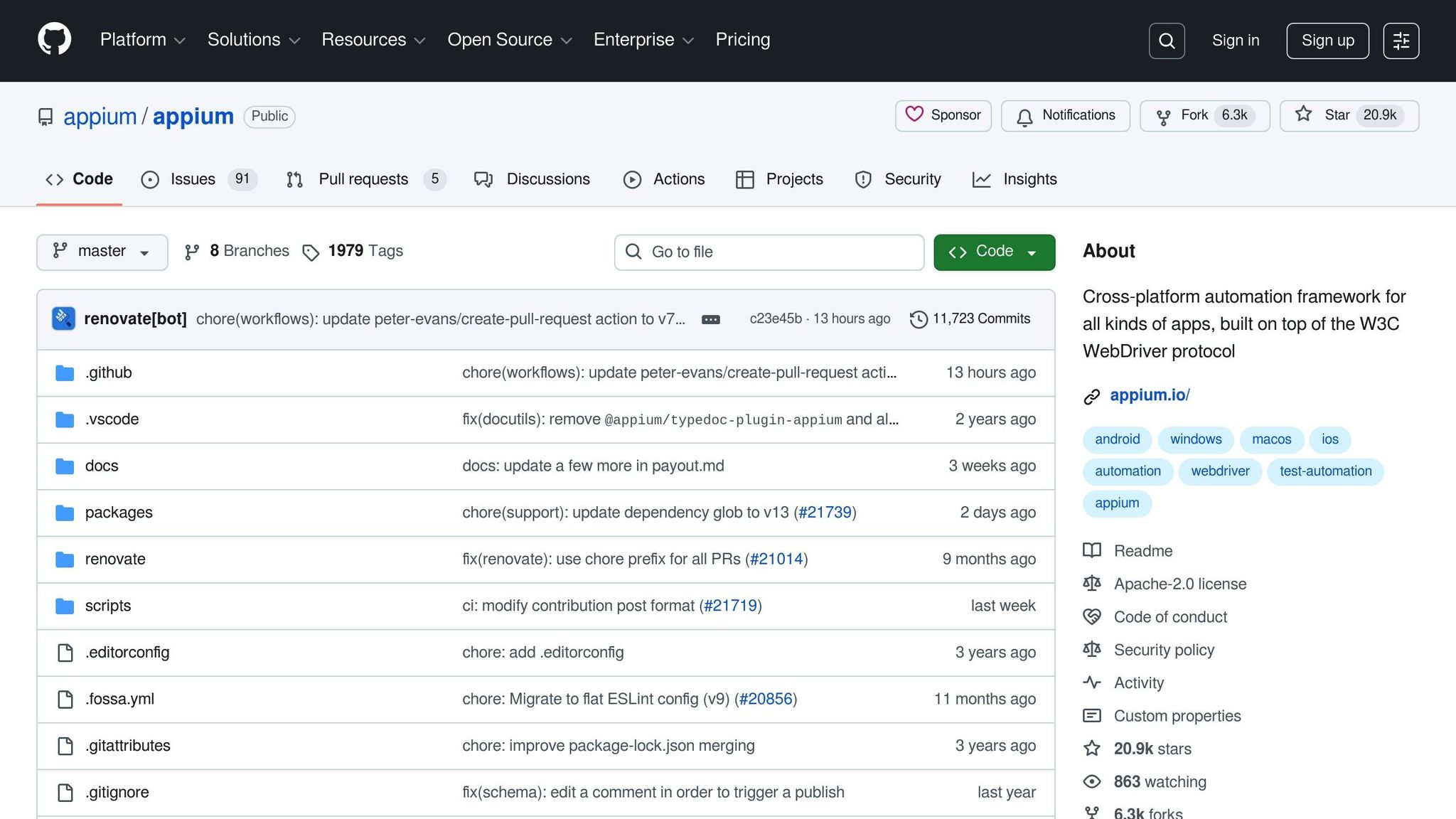
Appium is an open-source testing framework designed to automate mobile applications across different platforms. What sets Appium apart is its black-box testing approach, meaning it interacts with your app externally, mimicking real user behavior. It doesn't peek into your app's inner workings; instead, it focuses on actions like tapping buttons, filling out forms, and swiping through screens.
Appium operates using the WebDriver protocol, a standardized interface for communicating with apps. This makes it incredibly versatile, as it can test all kinds of mobile applications - native, hybrid, or mobile web - without requiring you to tweak your app's code or add special libraries.
One of Appium's strengths is its ability to support multiple programming languages, including Java, Python, JavaScript, Ruby, and C#. This flexibility allows development teams to write tests in languages they’re already familiar with, making it easier to integrate testing into their existing workflows.
Appium Core Features
Appium is built on the WebDriver protocol, which ensures consistent communication with mobile devices. This standardization helps maintain predictable behavior across various devices and platforms, simplifying test maintenance.
Another standout feature is Appium's multi-language support. By allowing teams to write tests in their preferred programming languages, it reduces the learning curve and enables developers to use familiar tools and libraries. This makes it easier to incorporate Appium into existing development processes.
Appium supports testing for native apps, hybrid apps, and mobile web apps, making it a go-to solution for teams working with diverse technologies. It also offers device and simulator support, so you can run tests on real devices, iOS simulators, or Android emulators. This flexibility lets teams strike a balance between fast execution and real-world accuracy.
Appium Benefits
Appium’s ability to work across multiple platforms and app types makes it an excellent choice for teams handling a variety of projects. Whether you’re testing React Native, Flutter, native iOS, native Android, or hybrid apps, Appium provides a unified framework, allowing teams to streamline their testing processes.
The framework is backed by a large and active community, which means plenty of resources, tools, and plugins are available to help you solve problems or extend Appium’s capabilities. This community support can be a lifesaver when tackling complex testing scenarios.
Another big plus is that Appium doesn’t require you to modify your app’s code. Its black-box approach means you can test third-party apps or keep your production code untouched, which is especially useful if you want to separate testing infrastructure from your app entirely.
Appium also integrates easily with popular tools for continuous integration, reporting, and other testing frameworks. This compatibility with existing tools allows teams to incorporate Appium into their workflows without major disruptions.
Appium Drawbacks
Appium isn’t without its challenges. Performance issues can arise because it communicates with apps externally, introducing some latency. This can make tests slower compared to frameworks that operate closer to the app's internal processes.
Another common issue is test flakiness. Since Appium relies on external communication and timing, factors like network delays or device performance variations can lead to occasional test failures. Teams may need to put extra effort into stabilizing their tests.
Setting up Appium can also be a bit daunting. Configuring it for different devices, platforms, and testing environments often involves managing multiple drivers, platform-specific tools, and dependencies, which can add to the maintenance workload.
Finally, Appium’s lack of access to internal app state can be a limitation. Unlike gray-box or white-box testing frameworks, Appium can’t directly inspect or manipulate your app’s internal data. This makes certain testing scenarios harder to implement, especially those requiring deep integration with the app’s logic or state.
Detox vs Appium: Direct Comparison
Now that we've looked at Detox and Appium individually, let's break down how they stack up against each other in key areas relevant to React Native testing.
Performance and Speed
Detox operates as a gray-box testing framework, meaning it directly interacts with your app's internals to synchronize with the JavaScript thread. This allows Detox to automatically manage waits for animations, network requests, and other asynchronous operations, ensuring tests move forward only when the app is ready.
Appium, on the other hand, follows a black-box testing approach, interacting with the app through external protocols. While this makes Appium highly versatile, it introduces communication delays. These delays often require developers to implement manual wait strategies to handle timing issues.
| Aspect | Detox (Gray-box) | Appium (Black-box) |
|---|---|---|
| Test Execution Speed | Fast with automatic synchronization | Moderate due to external communication |
| Flakiness | Lower, thanks to built-in waits | Higher, due to timing dependencies |
| Wait Management | Automatic | Manual (explicit waits needed) |
| Network Request Handling | Automatic synchronization | Requires custom logic |
Next, let's dive into platform support and how each framework's compatibility might influence your testing approach.
Platform Support and Compatibility
While performance is important, the choice between Detox and Appium also depends on platform support and the types of apps you need to test.
Detox is purpose-built for React Native applications, meaning it’s optimized to handle React Native’s specific features, like component lifecycles and state management. However, this focus limits Detox to React Native projects only.
Appium, in contrast, is a more versatile tool. It supports testing for native iOS and Android apps, hybrid apps, and even mobile web applications. This makes Appium an excellent choice for teams working across multiple app types or platforms.
| Aspect | Detox | Appium |
|---|---|---|
| React Native Support | Optimized for React Native | Supported as part of a general strategy |
| Native App Testing | Not supported | Fully supported |
| Hybrid App Testing | Not supported | Fully supported |
| Web App Testing | Not supported | Fully supported |
| Third-party App Testing | Not supported | Fully supported |
These differences highlight the trade-offs you’ll face when selecting a testing framework. Detox excels in React Native environments due to its tailored design, while Appium shines in projects requiring broader compatibility across various app types.
sbb-itb-e343f3a
When to Use Detox
Detox works best for teams looking for a reliable way to test React Native applications. It shines in projects built entirely with React Native, especially when the goal is to validate the overall user experience rather than diving deep into native components.
For teams that prioritize speed and stable test results, Detox’s automatic synchronization with app activity is a game-changer. This feature helps reduce flaky tests, making it an excellent choice for small to medium-sized teams or projects with limited QA resources. Its straightforward setup and minimal configuration needs make it a practical option when simplicity is key.
Another strength of Detox is its performance in continuous integration pipelines. It ensures consistent test results across various environments, which is crucial for maintaining reliability. If your focus is on testing end-to-end user flows in React Native apps while keeping maintenance efforts low, Detox is a solid choice, offering an efficient solution tailored to React Native testing needs.
When to Use Appium
If your testing needs extend beyond React Native, Appium is a solid choice. Unlike Detox, which is tailored specifically for React Native, Appium works across multiple platforms, including iOS, Android, Windows, and macOS. This makes it an excellent option for organizations managing a variety of app types. With Appium, you can streamline your testing framework across your entire app portfolio, saving time and resources while ensuring consistency in your testing approach.
For projects involving multiple platforms, Appium simplifies the process by unifying testing strategies for mobile, desktop, and hybrid applications. This not only reduces the learning curve for teams but also helps maintain consistency across different development environments.
Appium also shines when it comes to testing hybrid apps - those that combine native components with web views. For example, e-commerce apps with web-based checkout flows or news apps that integrate web content into native interfaces can leverage Appium's ability to handle these mixed technologies seamlessly. In contrast, Detox, being focused on React Native, lacks native support for such hybrid setups.
Another key advantage of Appium is its black-box testing capability. This allows teams to test third-party applications, legacy systems, or apps where access to the source code is limited. Without needing to modify the app's internal code, Appium enables comprehensive test automation.
Appium also offers operational flexibility by supporting multiple programming languages, including Java, Python, and C#. This means teams can stick to the tools and languages they already know, avoiding the need for extensive retraining.
Its mature ecosystem is another plus. With a wide range of plugins, detailed documentation, and a strong community, Appium provides the stability needed for long-term projects. Enterprises with multi-year testing plans can integrate Appium into their workflows, including CI/CD pipelines, with relative ease.
Appium's client-server architecture is particularly useful for distributed teams or projects requiring extensive device coverage. This setup supports parallel testing, making it easier to manage large-scale testing efforts across different locations.
That said, Appium's flexibility does come with some trade-offs. Tests tend to run slower compared to Detox, due to the additional abstraction layers involved. Additionally, the initial setup can be more complex and time-consuming. However, these challenges are often outweighed by Appium's ability to handle complex, multi-platform testing scenarios effectively.
How to Choose the Right Tool
Selecting the right tool boils down to understanding your project's specific needs, your team's expertise, your timeline, and your long-term goals.
Start by assessing the scope of your project. If you're working exclusively on a React Native app, Detox is a natural fit due to its seamless integration and minimal compatibility issues. On the other hand, if your project spans multiple app types, Appium is the better choice for its cross-platform testing capabilities.
Next, think about your team's skill set. If your team is well-versed in JavaScript and React Native, Detox will feel more intuitive. However, if your team has experience with languages like Java, Python, or C#, Appium might align better with your broader technical expertise.
Performance and CI/CD requirements also play a crucial role. Detox's gray-box testing approach delivers fast, reliable results, making it ideal for frequent CI/CD cycles. Meanwhile, Appium's architecture is better suited for distributed or large-scale testing, though it may come with some performance overhead.
Lastly, consider other practical factors like maintenance, budget, and debugging needs. Detox often reduces maintenance and costs for React Native projects thanks to its quicker setup and stable testing environment. In contrast, Appium might require more upfront effort but offers greater flexibility for testing a wider range of applications.
Ultimately, there’s no one-size-fits-all solution. The right tool depends on your project’s unique demands, your team’s strengths, and your organization's priorities. Use these criteria alongside the performance and compatibility insights covered earlier to make the best decision for your situation.
Conclusion
Detox and Appium each bring their own advantages to testing React Native applications.
Detox streamlines the process of integrating tests directly into React Native projects, making setup and execution more straightforward. On the other hand, Appium stands out with its cross-platform compatibility and support for multiple programming languages, making it a great choice for testing both hybrid and native applications.