End-to-end mobile testing validates that complete user flows work correctly across devices, operating systems, and network conditions. It focuses on user journeys like logging in, shopping, or browsing to catch functional issues before they reach production. Tools like Maestro simplify testing with YAML-based scripts, cross-platform support, and cloud infrastructure for scalable testing. Integrating tests into CI/CD pipelines helps catch functional regressions early, while modular flows and visual test creation tools make the process accessible to all team members.
How to approach performance testing for native mobile apps? | Daniel Knott
Core Strategies for Mobile App Performance Validation
Ensuring a mobile app performs well requires a thoughtful approach that mimics how users interact with it in the real world.
Setting Baseline Performance Criteria
Start by establishing clear benchmarks. Define acceptable thresholds for things like app launch times, screen transitions, and resource usage based on industry standards. These benchmarks should be documented to ensure everyone on the team is on the same page. Once set, use these benchmarks to design tests that reflect how users actually experience the app.
Creating Real-World Test Scenarios
To truly understand how your app performs, create test scenarios that replicate typical user journeys. These scenarios, often referred to as Flows, should cover complete interactions, such as logging in, adding items to a cart, applying discounts, and completing a purchase.
For example, an e-commerce Flow might include browsing products, adding items to the cart, applying a promo code, and checking out - all while accounting for network conditions users might face, like slow or unstable connections. Modern testing tools make it easier to handle timing variations and network delays, enabling even non-technical team members to contribute effectively to testing.
Handling Device and OS Fragmentation
Performance testing isn’t just about benchmarks and scenarios - it also involves addressing the challenges of device and OS fragmentation. With so many devices, screen sizes, and operating system versions in use, it’s critical to ensure your app performs well across the board.
Using a unified testing framework is a smart way to tackle this. It eliminates the need to create separate test suites for different platforms while ensuring consistent results for your entire user base. Here’s an example of how a unified framework can support multiple platforms:
| Platform | Coverage |
|---|---|
| Android - Views | ✅ |
| Android - Jetpack Compose | ✅ |
| iOS - UIKit | ✅ |
| iOS - SwiftUI | ✅ |
| React Native | ✅ |
| Flutter | ✅ |
| Web Views | ✅ |
| .NET MAUI | ✅ |
| Capacitor/Cordova | ✅ |
This cross-platform support is especially helpful for apps built with hybrid technologies. With a unified framework, you can write tests once and run them across iOS, Android, and web environments. Plus, cloud-based testing infrastructure allows you to execute tests on multiple device configurations simultaneously. When integrated into CI/CD pipelines, this approach helps catch performance issues early, saving time and effort in the long run.
Using Maestro for Mobile App Performance Testing
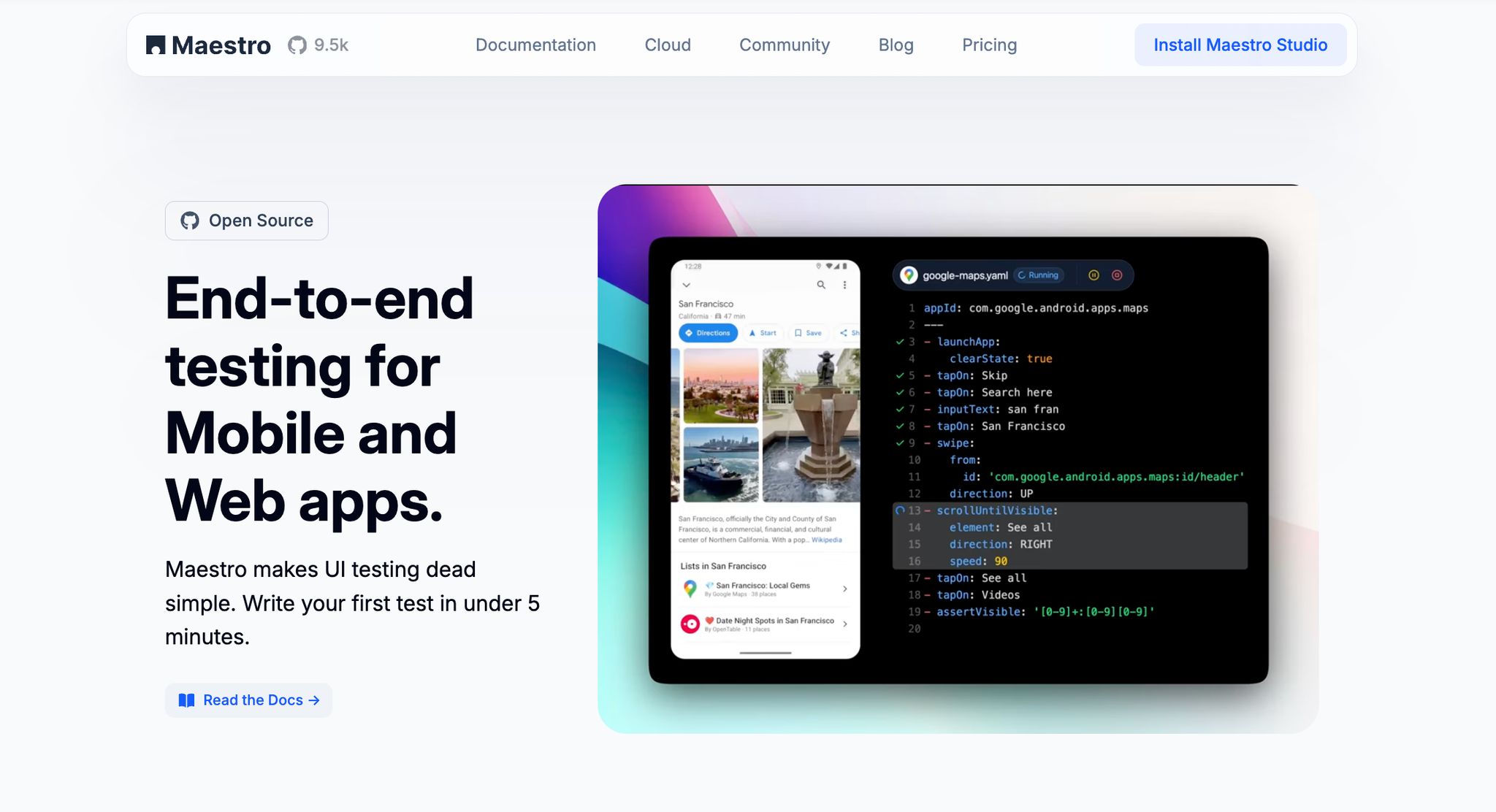
Maestro brings a practical, streamlined approach to mobile app performance testing. By focusing on real-world scenarios and unified frameworks, it simplifies the process of validating app performance while delivering fast and reliable feedback. Its YAML-based design removes unnecessary complexity, making testing both accessible and thorough.
Simple Test Creation with Maestro
Maestro uses an intuitive YAML syntax to define each step of a test. This declarative structure allows you to specify the actions your app should perform and how it should respond.
Here’s an example of how you can quickly set up a performance test for an Android contacts app:
# flow_contacts_android.yaml
appId: com.android.contacts
----
- launchApp
- tapOn: "Create new contact"
- tapOn: "First Name"
- inputText: "John"
- tapOn: "Last Name"
- inputText: "Snow"
- tapOn: "Save"
Each step is straightforward, making it easy to understand and modify as needed. The same clarity extends to web testing:
url: https://example.com
----
- launchApp
- tapOn: More information...
- assertVisible: Further Reading
Because tests are interpreted rather than compiled, any updates take effect immediately. This enables quick iteration cycles, keeping your testing workflow aligned with development progress.
Cross-Platform and Scalable Testing
A standout feature of Maestro is its ability to support multiple platforms with a single testing framework. Instead of juggling separate test suites for Android, iOS, and web applications, you can write your tests once and apply them across all platforms.
This is particularly advantageous for hybrid apps developed with frameworks like React Native or Flutter. Whether you’re working with a native iOS app built with SwiftUI, an Android app designed with Jetpack Compose, or a web app running on various browsers, Maestro ensures consistent performance validation.
Additionally, Maestro’s cloud-based testing infrastructure allows you to run tests across multiple device configurations at the same time. You can assess performance on different screen sizes, operating systems, and hardware capabilities without maintaining a physical device lab. When integrated into CI/CD pipelines, this setup ensures every code change is automatically validated across your entire test suite.
Maestro Studio: Visual Test Creation for Technical and Non-Technical QA Teams
Maestro Studio is a visual IDE that lets users create and manage UI tests without writing YAML directly. It provides an element inspector, flow builder, and AI assistance through MaestroGPT.
With Maestro Studio, QA professionals, product managers, and other stakeholders can directly contribute to performance testing. By interacting with the app interface, they can build test flows while the tool generates the required YAML commands in the background.
AI-assisted features add another layer of convenience by suggesting validation steps, spotting edge cases, and refining test flows for broader coverage. With features like inline command generation and workspace management, tests remain easy for non-technical users to create and for technical teams to maintain.
Built-In Handling for Flakiness and Delays
Mobile app testing often encounters challenges like UI variability and network delays. Maestro addresses these issues with automatic handling of timing and minor interface changes.
For instance, it eliminates the need for manual sleep() calls by managing waiting periods intelligently. This ensures that performance tests measure actual app behavior rather than relying on arbitrary timeouts.
These capabilities not only provide more accurate insights into user experiences but also reduce the time and effort required to maintain your test suite. With Maestro, your team can focus on delivering a seamless app experience without getting bogged down by testing complexities.
sbb-itb-e343f3a
Advanced Methods for Validating User Flows and UI Behavior
Delving into advanced techniques can help uncover hidden bottlenecks and refine the user experience. These strategies provide a clearer understanding of how your app performs under real-world conditions, offering actionable insights to enhance its behavior.
Automating UI Test Flows
Maestro simplifies UI test automation by automatically handling network delays and content loading times. This eliminates the need for arbitrary timeouts and reduces test flakiness. By defining flows that capture complete user journeys, you can validate that critical paths work as expected.
When testing navigation within your app, Maestro identifies when screen transitions are fully complete, giving you a clear picture of actual user wait times. This approach highlights performance variations caused by network conditions or device capabilities. For tasks tied to network responses - such as API calls, image loading, or data synchronization - the framework waits for these processes to finish rather than relying on fixed time estimates.
Incorporating these validation flows into your CI/CD pipeline allows you to catch issues early in development, adopting a "shift-left" strategy. This proactive approach helps identify bottlenecks before they escalate into costly problems. Tracking metrics like average run times and failed test occurrences can alert you to potential performance regressions, laying the groundwork for testing dynamic interactions as your app evolves.
Testing Gestures, Animations, and Complex Interactions
Smooth animations and responsive gestures are key to keeping users engaged. Testing these elements requires methods that account for their dynamic nature, and Maestro's built-in tolerance for flakiness is particularly useful here. This feature compensates for minor touch inaccuracies or UI shifts during animations, ensuring reliable validation of gesture-based interactions.
For animation performance, Maestro's intelligent waiting mechanisms detect when animations are complete, rather than relying on estimated durations. This allows you to uncover issues that may only appear on slower devices or under heavy system loads.
Creating tests for complex gesture sequences is made easier with Maestro Studio’s recording feature. Simply perform gestures directly on your device, and the tool generates corresponding test commands, ensuring the tests mimic real user interactions. Additionally, Maestro supports testing across multiple platforms, including iOS, Android, React Native, Flutter, and Web Views. This cross-platform capability helps identify performance differences and ensures a consistent user experience. Maestro Studio’s AI-assisted features can even suggest additional validation steps, broadening your interaction coverage and feeding into modular test designs for a more thorough evaluation.
Using Modular Flows for Reusability
Building on precise performance measurements and dynamic interaction testing, modular flows simplify ongoing performance monitoring. Maestro’s "Flows" feature breaks down user journeys - like Login, Checkout, or Add to Cart - into distinct, reusable modules. This modular approach allows you to focus on specific performance aspects without duplicating efforts.
With interpreted tests and cloud support, Maestro enables quick updates to flow definitions and simultaneous execution across devices. This flexibility allows for rapid experimentation, helping you investigate performance issues or confirm fixes efficiently. Modular flows also streamline maintenance: when app features change, you only need to update the relevant module instead of reworking the entire test suite.
This modular system provides broad performance coverage across various user paths while reducing overall testing time. Maintaining a library of these flows ensures consistency across app versions, making it easy to verify that improvements in one area haven’t negatively impacted others.
Best Practices for Scalable Mobile Performance Testing
Creating a solid mobile performance testing strategy takes careful planning and the right tools. As your app scales and user expectations grow, your approach to testing needs to keep up - delivering accurate, reliable results without slowing you down.
Integrating Tests into CI/CD Pipelines
Performance testing shines when integrated into continuous integration and deployment (CI/CD) pipelines. With Maestro's YAML syntax, you can set up test flows in your CI/CD system with minimal effort. This makes it easy to schedule tests at critical stages, like pre-release, nightly builds, or pull requests, ensuring you consistently monitor key user journeys.
Automating these tests within your pipeline ensures consistent results, even when network conditions or device performance fluctuate. Plus, adding notifications and result processing to your CI/CD workflow creates a feedback loop that alerts your team to major performance issues right away. This setup not only speeds up the testing process but also ensures your team gets timely updates on potential problems.
Parallel Testing for Faster Feedback
Once your CI/CD systems are running smoothly, the next step is speeding up test execution. Teams often face a tough choice: run comprehensive tests or get fast feedback. With Maestro's enterprise-grade cloud infrastructure, you don't have to choose. You can run tests in parallel across multiple devices and environments, improving both coverage and speed.
Parallel testing eliminates the need to run tests one by one on different device configurations. Instead, you can test performance across platforms like iOS, Android, React Native, Flutter, and Web Views all at once. Maestro also handles the tricky parts, like managing delays, so parallel tests are just as reliable as single-device runs. Integrating this capability into your CI/CD pipeline means you can keep an eye on performance continuously - without adding extra time to your build process.
Analyzing Test Results to Spot Issues
Detailed analytics are key to uncovering performance trends and bottlenecks. Maestro's reporting system tracks important metrics like average run time, test flow completion rates, failure counts, and pass percentages. These insights help you identify patterns, such as a steady increase in run time that could signal a deeper issue or a sudden rise in test failures tied to recent code changes.
Key Takeaways from Mobile App Performance Testing
Mobile app performance testing isn’t just about finding and fixing bugs - it’s about ensuring your users enjoy a smooth, reliable experience every time they use your app. By identifying performance issues and potential bottlenecks early in the development process, you can prevent these problems from ever disrupting critical workflows like logging in or completing a purchase. Tools like Maestro make this process more efficient by offering a streamlined testing platform.
Maestro takes the hassle out of mobile performance testing. It provides a single platform that works seamlessly with iOS, Android, React Native, Flutter, and web applications, all while using an easy-to-understand YAML syntax.
Its features are designed to address common challenges in mobile testing. For example, as your code evolves, Maestro allows for rapid test iterations, automatically monitoring and re-running tests to keep up with changes.
The platform also includes Maestro Studio, a visual interface that simplifies test creation. Even team members without coding experience can design and execute tests with ease.
By integrating with CI/CD pipelines, Maestro ensures continuous performance validation without slowing down your development process.
You can start testing with Maestro’s free tools and expand as your app and testing needs grow.
This approach highlights how mobile app performance testing can be both manageable and reliable. With the right tools and strategies, you can confidently deliver a high-performing app while maintaining your development speed.