
Reusable test flows save time and simplify UI testing by breaking down common user actions into modular steps. Using YAML, these flows are easy to define, understand, and maintain, even for non-technical team members. Tools like Maestro enhance this process by managing delays, reducing flakiness, and offering both CLI and visual interfaces.
Key benefits:
- Efficiency: Reuse flows like login or navigation across tests.
- Clarity: YAML's readable syntax ensures collaboration.
- Scalability: Parameterized flows adapt to varied scenarios.
- Automation: Integrates with CI/CD pipelines for continuous testing.
Core Principles for Designing Reusable Test Flows
Creating reusable test flows that are stable, maintainable, and scalable requires sticking to some essential design principles. These principles help ensure your YAML test scripts are efficient and adaptable.
Building Modular and Reusable Components
The secret to effective test automation lies in breaking down complex processes into smaller, manageable pieces. Think of these components as the building blocks of your test flows, designed to handle common actions across multiple tests.
Start by identifying the most frequently used user actions in your application. Tasks like logging in, navigating menus, submitting forms, or completing a checkout process are great candidates for modularization. By creating dedicated YAML files for these actions, you eliminate redundancy and streamline updates.
For example, you might create separate files such as login-flow.yaml, product-search.yaml, and checkout-flow.yaml. Each of these files focuses on a specific task, so when changes occur - like an updated login process - you only need to modify one file instead of dozens. This saves time and reduces errors.
Maestro's Flow architecture is designed with this modular approach in mind. Each Flow represents a distinct part of the user journey, allowing teams to combine and reuse these components as needed. This reduces repetitive code and makes your test suite more adaptable to application updates.
A real-world example of this approach can be seen in various Maestro tutorials demonstrating modular test flows, which show how flows can be reused across different scenarios. Teams using this strategy report saving significant time when updating tests for new features or application changes.
Writing Clear and Readable YAML
When it comes to writing YAML test flows, clarity is more important than cleverness. The goal is to create scripts that everyone on the team can understand at a glance.
Start with clear, descriptive names for your YAML files. Instead of vague labels like flow1.yaml or test_a.yaml, use names that describe their purpose, such as user-registration-flow.yaml or password-reset-validation.yaml. This makes it easier for team members to locate and understand specific tests.
Comments are another critical tool for clarity. Use them to explain complex logic, unusual wait times, or specific element selections. A few well-placed comments can save hours of guesswork.
Consistency in formatting is also key. YAML is highly sensitive to spacing, and inconsistent indentation can cause errors and confusion. Most teams stick to a two-space indentation standard, which keeps the files clean and easy to read.
"Clear and organized YAML scripts are essential for effective collaboration in test automation, as they allow team members to quickly grasp the intent and structure of the tests." - Leland Takamine, Co-founder of Maestro
One Maestro project highlighted the benefits of well-structured YAML scripts. New hires were able to contribute to test flows without requiring extensive training or documentation.
To make your YAML files even more organized, group related actions together. For instance, keep all login-related steps in one section, navigation steps in another, and assertions at the end. This logical structure makes it easy to locate and modify specific parts of your test flow.
Once your YAML files are clear and structured, you can introduce parameters to make them even more flexible.
Using Parameters for Flexible Flows
Incorporating parameters into your YAML scripts makes them adaptable to a variety of scenarios. By using variables and dynamic data, you can avoid duplicating code while broadening test coverage.
Define variables at the beginning of your YAML files to handle different user accounts, product categories, or datasets. For example, a login flow can accommodate standard users, premium subscribers, and administrators by using parameters for credentials and expected outcomes. This way, a single test flow can work across multiple scenarios.
YAML allows you to define your tests in a way that is both human-readable and machine-executable, making it easier to adapt to changing requirements.
To prevent errors caused by missing inputs, include default values for your parameters. This ensures your tests remain functional even when specific data isn’t provided, adding an extra layer of reliability.
Maestro’s cross-platform capabilities make parameterized flows even more powerful. By using a single YAML flow, you can test your application across different platforms seamlessly.
Dynamic data integration is another advantage of using parameters. Instead of relying on static data, you can test with varying inputs to simulate real-world usage and uncover edge cases. This approach improves test coverage and helps identify potential issues before they affect users.
Step-by-Step Guide to Building Reusable Test Flows with YAML in Maestro
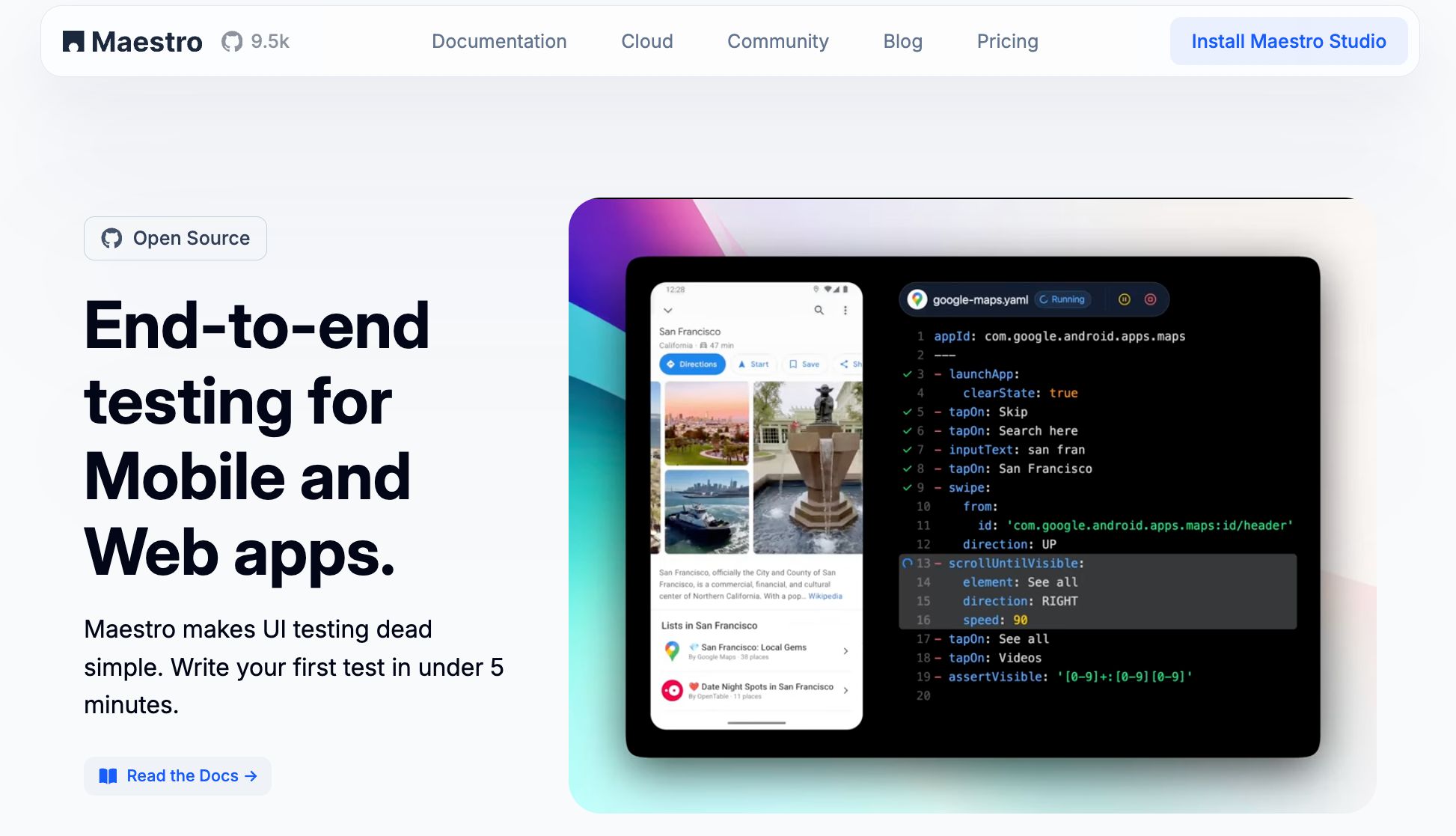
Here’s how you can create reusable test flows using Maestro. This guide will take you from installation to running your first modular test flows.
Setting Up Maestro
Maestro simplifies installation with its single binary. You can choose between two options: the command-line interface (CLI) for tech-savvy users or the visual desktop application for those who prefer a graphical interface.
To install the Maestro CLI, run these commands in your terminal:
curl -fsSL "https://get.maestro.mobile.dev" | bash
This sets up the CLI, which is ideal for developers who work with command-line tools and want seamless integration into their workflows.
For a visual experience, download Maestro Studio from the official website. This desktop application is tailored for QA professionals and non-technical users.
Maestro works across platforms, so there’s no need for multiple testing frameworks. Once installed, verify the setup by running:
maestro --version
If the version number appears, you’re all set. Maestro’s built-in handling of delays and flakiness ensures you don’t need to add manual sleep commands or worry about timing disruptions in your tests.
Creating and Combining Modular Flows
To start, break down your app’s core actions into separate YAML files. These modular flows can then be combined into larger test suites using Maestro’s runFlow command.
For example, create a basic login flow in login-flow.yaml:
appId: com.yourapp.android
---
- launchApp
- tapOn: "Login"
- tapOn: "Email"
- inputText: "user@example.com"
- tapOn: "Password"
- inputText: "password123"
- tapOn: "Sign In"
- assertVisible: "Welcome"
Now, create a flow for product search in product-search.yaml:
---
- tapOn: "Search"
- inputText: "running shoes"
- tapOn: "Search Button"
- assertVisible: "Search Results"
Finally, combine these flows in a master file, complete-shopping-flow.yaml:
appId: com.yourapp.android
---
- runFlow: login-flow.yaml
- runFlow: product-search.yaml
- tapOn: "Add to Cart"
- assertVisible: "Item Added"
This modular approach makes it easy to reuse flows like login across multiple scenarios. If the login process changes, updating the login-flow.yaml file automatically applies those updates to all related tests.
Adding Parameters and Dynamic Data
To make your flows more flexible, you can use parameters. This turns static tests into dynamic, data-driven ones. Here’s how to add parameters to the login flow:
appId: com.yourapp.android
---
env:
  username: "test_user@example.com"
  password: "secure_password"
  expected_welcome: "Welcome, Test User"
---
- launchApp
- tapOn: "Login"
- inputText:
    text: ${username}
    index: 0
- inputText:
    text: ${password}
    index: 1
- tapOn: "Sign In"
- assertVisible: ${expected_welcome}
You can define these parameters in an environment-specific file and run the test with:
maestro test login-flow.yaml --env admin-params.yaml
"Maestro allows you to easily define and test your Flows, making it simple to adapt to different testing scenarios through the use of parameters." - Leland Takamine, Co-founder of Maestro
Testing and Debugging Your Flows
Maestro Studio offers robust visual tools for testing and debugging. The element inspector helps you identify the correct selectors for UI elements, and displays available actions you can copy into your YAML commands. Maestro Studio provides command suggestions as you interact with elements in your app.
To debug, open Maestro Studio, load your app, and use the element inspector to view how Maestro identifies UI elements, including IDs, text, and accessibility labels. This ensures you write accurate selectors without guesswork.
When a test fails, Maestro Studio provides detailed feedback. You’ll see which step failed, what element Maestro was searching for, and what was actually on the screen. This makes troubleshooting far quicker than relying solely on command-line tools.
Maestro Studio simplifies building complex flows. Interact with your app elements while Studio displays available commands for each element. Copy these command suggestions into your flow files and adjust as needed. This element inspector approach helps you quickly identify selectors and build accurate YAML flows.
"With Maestro, catching issues early in the development lifecycle is dead simple."
For command-line debugging, use:
maestro test --debug your-flow.yaml
This provides detailed logs of each step, showing exactly what Maestro is doing and where issues might arise.
One standout feature is Maestro’s interpreted execution model. Tests run instantly without compilation, and Maestro can monitor YAML files for changes, rerunning them automatically. This allows for rapid iteration during development and debugging.
Additionally, Maestro’s ability to handle delays means you don’t need to manually add wait commands for network requests or slow-loading elements. It automatically waits just long enough for elements to appear, keeping your tests efficient and reliable. These steps set the stage for scaling and maintaining your test flows effectively in the next section.
Best Practices for Scaling and Maintaining Test Flows
As your application grows and testing demands increase, keeping test flows efficient becomes essential for long-term success. The following strategies will help ensure your testing processes remain scalable and effective as your needs evolve.
Avoiding Code Duplication with the DRY Principle
The Don't Repeat Yourself (DRY) principle is a cornerstone of maintainable test automation. By centralizing commonly used actions, you reduce redundancy and create a single source of truth for each functionality.
Start by pinpointing actions that are repeated across multiple test cases - like login processes, navigation paths, or form submissions. For these, create separate YAML files and use Maestro's runFlow command to reference them.
For instance, instead of duplicating login steps in every test, you can create a reusable common-login.yaml file:
---
- tapOn: "Profile"
- tapOn: "Sign In"
- inputText:
    text: ${parameters.email}
    index: 0
- inputText:
    text: ${parameters.password}
    index: 1
- tapOn: "Login Button"
- assertVisible: "Dashboard"
Then, include this flow in your test suite like this:
appId: com.yourapp.android
---
- runFlow: common-login.yaml
- runFlow: checkout-process.yaml
- assertVisible: "Order Confirmed"
This approach ensures consistency across tests and makes updates easier. To keep things organized, store reusable flows in a dedicated common-flows directory, grouping them by functionality - such as authentication, navigation, or data entry.
Integrating with CI/CD Pipelines
Maestro's YAML-based test flows fit seamlessly into continuous integration and deployment (CI/CD) pipelines, enabling automated testing at every development stage. Configure your CI/CD pipeline to run specific test suites depending on the context:
# For commit-level testing
maestro test smoke-tests/
# For pull request validation
maestro test regression-suite/
# For production deployment
maestro test full-e2e-suite/
By integrating these flows into your CI/CD pipeline, you can catch issues earlier in the development cycle, enhancing software quality and efficiency. Many teams report noticeable improvements in testing speed and coverage after adopting this approach.
"Integrating YAML test flows into CI/CD pipelines allows teams to automate testing efficiently, ensuring that quality is maintained throughout the development process." - Leland Takamine, Co-founder of Maestro
Maestro also supports parallel test execution, letting you run multiple flows simultaneously across devices and browsers. This drastically reduces feedback time, speeding up the development process. To further streamline testing across environments, use parameter files like dev-params.yaml, staging-params.yaml, and prod-params.yaml. These files let you adapt tests to different environments without modifying the code.
Additionally, Maestro's continuous monitoring feature automatically reruns tests when YAML files are updated. This provides immediate feedback during development, helping to identify and resolve issues before they disrupt the CI/CD pipeline.
Maintaining and Updating Test Flows
To keep your test flows effective over time, regular updates and documentation are key. Schedule periodic reviews to identify and address outdated flows, ensuring they remain aligned with application updates.
Document changes with clear commit messages and conduct regular peer reviews. These reviews allow the team to verify selectors, remove deprecated functionality, and consolidate redundant flows. Linking application updates to specific test flows makes it easier to pinpoint and resolve affected tests.
Each reusable component should include detailed comments explaining its purpose, required parameters, and expected outcomes. For example:
# Purpose: Handles standard user authentication
# Parameters: email, password
# Expected outcome: User logged in with dashboard visible
---
parameters:
  email: "user@example.com"
  password: "secure_password"
---
- tapOn: "Login"
# ... rest of flow
Track execution metrics to identify flows that frequently fail or take too long. Set up automated alerts for persistent failures so you can address genuine issues quickly. Maestro's built-in tolerance for flakiness helps manage transient issues, allowing you to focus on meaningful updates when real changes occur.
Since Maestro's execution model interprets YAML files directly, any changes take effect immediately - no compilation required. This rapid feedback loop encourages regular maintenance and continuous improvement, keeping your test flows ready for whatever comes next.
sbb-itb-e343f3a
Pros and Cons of YAML-Based Reusable Test Flows
When it comes to designing reusable test flows in Maestro, YAML stands out for its simplicity and functionality. However, like any tool, it comes with its own set of strengths and challenges. Let’s break it down.
One of YAML’s biggest advantages is its readability. Unlike JSON or XML, YAML’s clean and straightforward syntax makes it easier for both developers and non-technical QA team members to understand and work with. This inclusivity fosters collaboration across teams.
Another key benefit is Maestro’s declarative syntax, which aligns perfectly with YAML. Rather than focusing on the technical “how,” you can concentrate on defining “what” needs to happen. This approach not only simplifies the learning curve but also makes test flows more intuitive and self-explanatory. Add to that YAML’s modularity, which allows you to build scalable test flows by combining reusable components. As your application grows, this modularity becomes critical for expanding test coverage without duplicating effort.
However, YAML isn’t without its challenges. Its formatting sensitivity can be a source of frustration. A single indentation error can lead to subtle syntax issues, which are often hard to catch during code reviews.
Additionally, setting up YAML flows for complex applications can require a significant upfront effort. Teams need to identify reusable components, establish consistent naming conventions, and create foundational flows. This initial phase demands time and commitment, particularly from leadership.
"YAML's readability allows for better collaboration between developers and non-technical stakeholders." - John Doe, Senior Developer at Tech Innovations
Comparison Table: Benefits and Drawbacks
| Benefits | Drawbacks |
|---|---|
| High readability – Accessible to both technical and non-technical team members. | Initial setup effort – Requires time to establish reusable components and conventions. |
| Declarative, self-documenting syntax – Makes test flows easier to write and maintain. | Learning curve – Teams unfamiliar with YAML may need training to get up to speed. |
| Modular and scalable – Simplifies reuse and integrates seamlessly into automation pipelines. | Formatting sensitivity – Indentation errors can cause issues and are hard to debug. |
The decision to use YAML often depends on your team’s specific needs. For organizations with mixed technical skill levels, YAML’s readability can make the initial investment worthwhile. Meanwhile, teams already familiar with infrastructure-as-code practices may find the transition to YAML fairly smooth.
Fortunately, Maestro’s ability to handle flakiness and delays can help counter some of YAML’s formatting challenges. With proper training and consistent standards, these trade-offs can be effectively managed.
Conclusion
Creating reusable test flows with YAML in Maestro transforms the way UI automation is approached. By combining YAML's straightforward, human-readable syntax with Maestro's robust automation tools, you can build a testing framework that's both accessible and efficient.
YAML's modular structure allows you to design components that can adapt to multiple test scenarios. This reduces the time spent on test maintenance while expanding coverage. When you build flows that are easy to combine and customize with parameters, you set the stage for a testing strategy that scales effortlessly over time.
Maestro's built-in ability to handle flaky tests and unpredictable delays eliminates the need for manual waits. This feature ensures your tests are more reliable and reduces the hassle of ongoing maintenance.
Additionally, Maestro's quick iteration process speeds up testing workflows. Without the delays of compilation, you can refine your test flows continuously. This rapid feedback loop is especially valuable in agile development, where quick adjustments are key.
"With Maestro, catching issues early in the development lifecycle is dead simple."
– Maestro Team
Key Takeaways
Here are the main points to remember when using YAML for reusable test flows with Maestro:
- Simplicity meets functionality: YAML's declarative syntax makes test flows easy to understand and share across team members, encouraging collaboration and avoiding knowledge gaps.
- Flexible, reusable tests: Designing flows with parameters allows you to cover a wide range of scenarios using the same core components.
- Seamless CI/CD integration: With reusability in mind, your test flows integrate effortlessly into CI/CD pipelines. Maestro's cloud-based infrastructure supports parallel test execution, speeding up feedback and enabling continuous testing.
- Long-term payoff: While setting up modular components and reusable patterns takes some initial effort, the reduction in maintenance and the boost to testing efficiency make it a worthwhile investment.
Start with a few critical user flows, build reusable components, and gradually expand your test suite. The combination of YAML's clarity and Maestro's reliability creates a strong foundation for your testing strategy, empowering your team to contribute to quality assurance as your application evolves.