
Mobile app test automation saves time and boosts reliability by using tools and scripts to test apps instead of manual input. It ensures apps work across multiple devices and operating systems, addressing common challenges like device fragmentation, OS compatibility, UI complexity, and performance issues.
Key Takeaways:
- Why It Matters: Automation improves testing speed and coverage, crucial for fast app updates. With 46.1% of Android apps uninstalled within 30 days of installation.
- Challenges Solved: Automation handles device variety, OS versions, dynamic UIs, and security concerns.
- Top Tools: Maestro (YAML-based), Appium (versatile), Detox (React Native), and Espresso (Android-specific) cater to different testing needs.
- Best Practices: Use modular scripts, integrate with CI/CD pipelines, and focus on critical areas like regression and performance testing.
Quick Comparison of Tools:
| Tool | Platforms | Scripting Language | App Types | Parallel Execution |
|---|---|---|---|---|
| Maestro | Android, iOS | YAML | Native, Web | Yes |
| Appium | Android, iOS, Web | Multiple languages | Native, Hybrid | Yes |
| Detox | Android, iOS | JavaScript | React Native | Yes |
| Espresso | Android | Java/Kotlin | Native | Limited |
Automation isn’t just about tools - it’s about planning and prioritizing. Start with high-impact areas like login flows or checkout processes, use reusable scripts, and stay updated with tool advancements. With mobile commerce representing approximately 60-65% of total e-commerce sales, ensuring quality through automation is more important than ever.
Mobile Test Automation Tools for 2024 and beyond
Key Tools and Frameworks for Mobile Test Automation
The mobile test automation world is packed with tools designed to meet a variety of needs. Picking the right one means understanding the unique capabilities of each and how they align with your team's goals and technical setup.
Overview of Key Tools: Maestro, Appium, Detox, Espresso
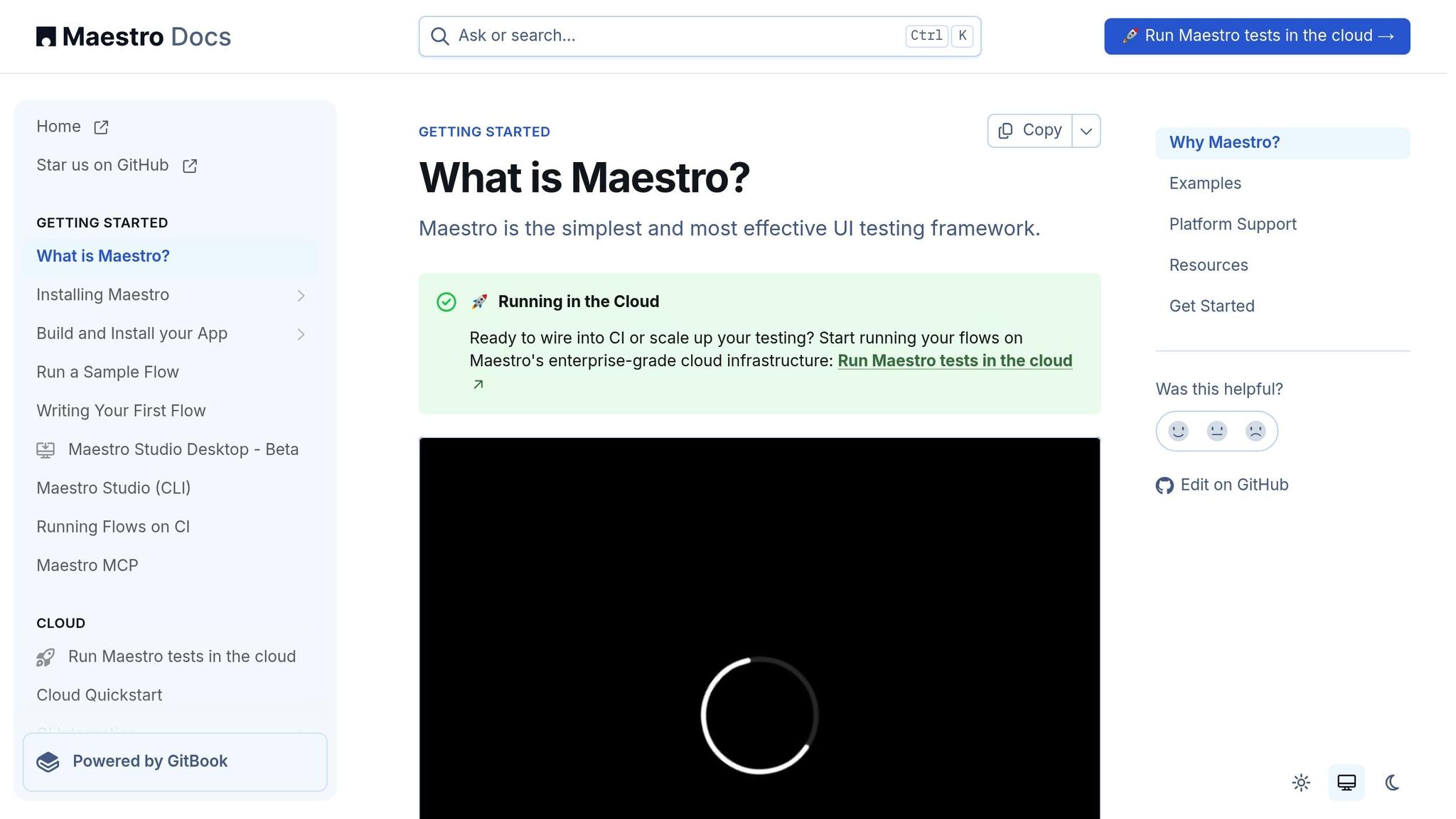
Maestro takes a straightforward approach to mobile UI testing with its YAML-based scripting. This makes it user-friendly for teams with diverse skill levels. Supporting Android, iOS, and web applications, Maestro simplifies testing with readable YAML scripts instead of complex code. It’s praised for its resilience against test flakiness, parallel execution, and seamless integration with CI/CD pipelines - all set up quickly using a single binary.
Appium is known for its versatility, supporting native, hybrid, and web apps across platforms like iOS, Android, Tizen, and even desktop and TV environments. It accommodates multiple programming languages, including Java, Ruby, and Python, and doesn’t require app modifications. With its built-in inspector for element identification and support for both real devices and emulators, Appium is a go-to for teams needing flexibility and scalability.
Detox focuses on React Native apps, offering a gray-box testing approach for end-to-end testing. Its synchronization with the app runtime ensures faster and more stable tests by monitoring asynchronous operations. However, since Detox requires source code modifications and integration, it's best suited for teams developing React Native projects who need native-level control.
Espresso, Google’s official Android testing framework, excels in Android UI tests. Its deep integration with Android development tools makes it a reliable choice for Android-specific projects. Espresso’s speed and precision make it a favorite for developers looking for a native solution.
Key Distinction: Unlike Detox which requires source code integration and is React Native-specific, or Espresso/XCUITest which are platform-specific, Maestro works with any mobile app (native, React Native, Flutter, hybrid) without code modifications, using simple YAML scripts instead of programming languages.
How to Choose the Right Tool
Selecting the best tool for mobile test automation involves weighing several factors:
- Platform Compatibility: If your project spans both Android and iOS, cross-platform options like Maestro or Appium are ideal. For Android-only needs, Espresso’s native integration offers enhanced performance.
- Team Expertise: Teams with strong programming skills might gravitate toward Appium, while those looking for a quick start may prefer Maestro’s YAML-based simplicity. Tools with intuitive interfaces can cut onboarding time by half.
- Application Architecture: The nature of your app matters. React Native apps thrive with Detox, while hybrid apps may benefit from Appium’s broader compatibility.
- Integration Needs: Seamless CI/CD integration can accelerate release cycles by up to 30%. Ensure the tool works well with your existing development and deployment processes.
- Scalability: For growing testing demands, features like parallel execution and distributed testing are key. Cloud-based environments can also reduce setup time by 50%.
- Budget: Open-source tools like Appium are cost-effective, but don’t forget to factor in setup, maintenance, and additional services.
Feature Comparison of Popular Tools
Here’s a snapshot of how these tools stack up:
| Feature | Maestro | Appium | Detox | Espresso |
|---|---|---|---|---|
| Platform Support | Android, iOS | Android, iOS, Windows, Web | Android, iOS (React Native) | Android only |
| Scripting Language | YAML | Java, Python, JavaScript, Ruby, C#, PHP | JavaScript/TypeScript | Java, Kotlin |
| App Types | Native, hybrid, web | Native, hybrid, web | React Native | Native Android |
| Testing Approach | Black box | Black box | Gray box | Gray box |
| Setup Complexity | Simple CLI installation | More complex setup required | Moderate complexity | Android Studio integration |
| Learning Curve | Low (YAML syntax) | High (requires coding skills) | Moderate (JavaScript knowledge) | Moderate (Android development) |
| Parallel Execution | Yes | Yes | Yes | Limited |
| CI/CD Integration | Built-in support | Requires configuration | Integrated with CI/CD pipelines | Google CI tools |
The decision ultimately depends on your project’s needs and your team’s capabilities. For instance, 70% of QA professionals favor Appium for its platform flexibility. Automation can cut testing time by up to 70%, increase coverage, and improve accuracy. Maintaining a 70% automation rate for regression tests can save organizations up to 40% in long-term costs. Choosing the right tool isn’t just about immediate results - it’s a strategic move that shapes your testing efficiency and cost-effectiveness over time.
Next, we’ll dive into how YAML-based scripting can simplify mobile test automation even further.
YAML-Based Test Scripting Techniques
YAML has reshaped the way teams handle mobile test automation, making test scripts easier to read, maintain, and share across technical and non-technical team members. By focusing on clear, human-readable instructions, YAML shifts the emphasis from complex programming syntax to describing the purpose of a test.
Introduction to Declarative Test Scripting
Declarative test scripting marks a departure from the traditional imperative programming approach. Instead of writing detailed, step-by-step instructions in languages like Java or Python, declarative scripting focuses on describing what needs to be tested rather than how to test it.
In practice, this means specifying user actions and expected outcomes without delving into the technical details. For example, a declarative script might include steps like "tap the login button" or "verify the welcome message appears", leaving the underlying complexities - such as locating elements or managing wait conditions - to the automation framework.
This approach offers several benefits:
- Easier maintenance: When UI elements change, you can update a single YAML configuration instead of modifying code in multiple places.
- Quicker onboarding: YAML's plain-English-like syntax makes it easier for new team members to contribute.
- Improved collaboration: Developers, QA engineers, and product managers can all understand and work with the same test scenarios.
This simplicity and clarity form the foundation for how Maestro uses YAML to power mobile test automation, as detailed below.
How Maestro Uses YAML for Test Automation
Maestro takes advantage of YAML's intuitive structure to create test scripts that are both easy to write and highly effective. It converts YAML configurations into executable tests that work seamlessly across Android, iOS, and web platforms.
A typical Maestro YAML script begins with app metadata, followed by a series of commands that mimic natural language. This makes it accessible to anyone familiar with mobile app workflows. For example, a test for a login flow might include:
-
tapOn: "Login"– Simulates tapping the login button. -
inputText: "user@example.com"– Inputs an email address. -
assertVisible: "Welcome Dashboard"– Confirms the welcome screen is displayed.
Maestro manages platform-specific differences, element waiting, and error handling behind the scenes, so you don’t have to worry about those details.
Key features of Maestro include:
- Built-in resilience: Automatic retries, intelligent waits, and tolerance for minor UI changes help keep tests stable even when the app evolves or network conditions fluctuate.
- Cross-platform compatibility: The same YAML script can run on both Android and iOS, provided the UI elements share consistent identifiers.
- Advanced scenarios: YAML scripts can handle dynamic content, integrate with external data, define custom assertions, and create complex user flows, all while maintaining readability.
With these capabilities, Maestro makes it easier to maintain robust test suites as your application grows.
Writing Scalable YAML Test Scripts
To keep up with rapid development cycles, scalable YAML test scripts are essential. By following best practices, you can create modular and reusable scripts that adapt to changes and expand as needed.
Here are some key strategies:
-
Stable element identifiers: Use attributes like
data-test-idor semantic labels instead of dynamic IDs or CSS classes that may change frequently. This reduces the risk of locator failures. - Smart waiting strategies: Replace static delays with explicit waits that respond to actual UI conditions. For example, wait for a button to appear before interacting with it, ensuring tests only proceed when the app is ready.
- Modular design and data-driven testing: Break down complex workflows into smaller, reusable components. Use external data sources or environment variables instead of hardcoding values, allowing the same script to run in different environments with various datasets.
- Version control: Treat YAML scripts as code. Use Git for branching, code reviews, and tracking changes to ensure your test suite evolves alongside the app.
- Regular maintenance: Categorize tests by priority (e.g., Critical, High, Low) and run critical tests with every build. Schedule less critical tests for regression runs. Regularly review scripts to remove outdated tests and address flakiness.
Finally, open communication between teams is vital. When developers share upcoming UI changes, QA teams can update scripts in advance, minimizing disruptions.
Investing in well-structured YAML scripts leads to lower maintenance, faster testing, and stronger confidence in your automation process as your app scales. Teams that implement these practices often see tangible improvements in efficiency and collaboration.
Best Practices for Efficient and Scalable Mobile Test Automation
Scaling mobile test automation effectively requires a modular design, smooth integration with CI/CD pipelines, and consistent upkeep to adapt to your app's growth and changes.
Creating Modular and Reusable Test Scripts
At the heart of scalable test automation lies modularity. Instead of relying on bulky scripts that attempt to cover entire user flows in one go, break them into smaller, focused components. These components can then be reused across multiple scenarios, saving time and effort.
The Page Object Model (POM) is a widely used approach for achieving this modularity. POM separates test logic from the UI elements and actions tied to specific pages. This means that when a UI element changes, you only need to update the corresponding page object, not every test case that interacts with it.
Another key strategy is data-driven testing, which separates test data from the test logic. By storing test data in external sources like files or databases, you can run the same test logic across different datasets, environments, or scenarios without duplicating code. This approach significantly boosts efficiency and adaptability.
To ensure your test scripts remain clear and manageable, focus on proper naming conventions and logical organization. Regularly refactoring your test suite keeps it aligned with the app's evolving behavior and prevents technical debt from piling up.
Integrating Automation with CI/CD Pipelines
Once your tests are modular and reusable, the next step is integrating them into your continuous integration and continuous delivery (CI/CD) workflow. Modern development teams depend on CI/CD to push updates quickly and reliably, and mobile test automation must fit seamlessly into these processes to provide timely feedback.
For example, Maestro supports integration with nearly any CI/CD platform. If you’re using GitHub Actions, you can include the following command in your pipeline:
maestro test --shards 3 ./flows
This command runs your test flows in parallel across multiple instances, cutting down execution times and speeding up feedback for developers.
Set up your CI pipeline to trigger tests based on their importance. Critical tests should run with every commit, while broader regression suites might be scheduled nightly or before major releases. A well-structured feedback loop, complete with clear reporting and timely notifications, ensures developers can quickly address any issues uncovered during testing.
Handling Flaky Tests and Dynamic UI Elements
Flaky tests and dynamic UI elements are common challenges in mobile test automation. Flaky tests - those that fail inconsistently without any changes to the underlying code - can undermine confidence in your test suite and waste valuable developer time.
The impact of flaky tests is significant. For instance:
- Google reported that 16% of all test failures in their systems were due to flakiness, and fixing these tests took 1.5 times longer than addressing non-flaky failures.
- Microsoft estimated that flaky tests cost them $1.14 million annually in lost developer productivity.
- Nearly 84% of retried test failures were attributed to flakiness rather than actual regressions.
To combat this, monitor test results over time and track stability using your CI pipeline. When a test fails, rerunning it can help determine whether the issue is due to flakiness or a genuine bug.
For dynamic UI elements, prioritize stable locators like unique IDs, accessibility labels, or data attributes over fragile selectors like CSS classes or complex XPath expressions. If you must use XPath or CSS selectors, design them to focus on element attributes or relationships rather than positions, which are more likely to change.
Other strategies to improve reliability include:
- Using explicit waits to ensure elements are ready before interacting with them.
- Mocking external dependencies to reduce variability.
- Isolating tests to ensure they don’t interfere with one another.
Regular maintenance is also essential. Proactively updating test scripts when developers share upcoming UI changes minimizes disruptions and keeps your suite reliable. Incorporating visual testing, such as capturing and comparing screenshots, can also help identify visual regressions that might otherwise slip through.
sbb-itb-e343f3a
Practical Strategies for QA Engineers and Testers
Getting mobile test automation right requires more than just technical know-how - it demands careful planning to determine which test cases to automate, how to structure your testing process, and how to keep your automation efforts in sync with your app's growth. Below, we'll explore strategies to help you make the most of your test automation efforts, from selecting the right test cases to refining your approach over time.
Prioritizing Test Cases for Automation
Not every test case is worth automating. The trick is to focus on the ones that give you the best return on your effort while safeguarding your app's most vital functions. To do this, evaluate test cases based on how often they’re run, their risk impact, and their stability. Start with areas tied to revenue, compliance, or security - failures in these areas can lead to serious consequences.
For example, customer-facing transaction flows like authentication, API integrations, and audit trails should be high on your list. Imagine an e-commerce app with a broken checkout process - it could lose thousands of dollars every hour. Research shows that organizations using test automation cut testing time by up to 80% and increased their release frequency by 64%. Additionally, automated regression testing is up to 40% faster than manual alternatives.
Kick things off with high-value test cases such as smoke tests, regression suites, and data-driven scenarios. These are often the easiest to automate and provide the quickest benefits. By focusing on these, you’ll set a strong foundation for scalable automation and reduce the risk of costly production issues.
Maintaining a Balanced Test Automation Pyramid
The test automation pyramid is a tried-and-true framework for structuring your testing strategy. At its core, it emphasizes a base of fast, reliable unit tests, a middle layer of integration tests, and a smaller layer of UI tests at the top. This structure ensures speed, broad coverage, and cost efficiency.
Unit tests are quick, running in milliseconds, and they catch bugs early when fixes are cheapest. They also provide instant feedback for developers, making them a cornerstone of any testing strategy - 97% of businesses consider unit testing critical. Integration tests, on the other hand, ensure different parts of your app work together seamlessly. These are perfect for testing API integrations, database connections, and communication between components. Finally, UI tests - though fewer in number - focus on key user journeys like login, checkout, and other critical workflows.
For mobile apps, you can adapt this approach with the Mobile Testing Pyramid, which accounts for testing environments. Start with desktop browsers to catch broad issues quickly, then move to simulators or real devices for more targeted testing. This progression helps you identify and address problems efficiently before diving into device-specific testing.
To maximize efficiency, run unit and integration tests with every code change. End-to-end tests, which are more time-consuming, can be scheduled for nightly builds. Avoid duplicating efforts - if a unit test already covers specific logic, there’s no need to verify it again at the UI level. Once your testing structure is in place, make continuous improvements to keep up with the evolving needs of your app.
Continuous Improvement in Automation
Test automation isn’t a set-it-and-forget-it process. It requires regular updates to keep pace with new features, UI changes, and advancements in testing tools.
Make it a habit to review and update test scripts frequently. This helps you address flaky tests and adapt to planned UI changes, minimizing disruptions during releases. Stay proactive - adjust your scripts ahead of time to ensure smooth rollouts.
Keep an eye on metrics like test execution times, failure rates, and the percentage of bugs caught by automated tests versus those found in production. Companies using test automation have reported a 20% drop in production defects. Staying on top of these numbers can help you identify areas for improvement.
Take advantage of updates in your testing tools. For example, Maestro often introduces features that simplify test scripts and improve reliability. Review release notes and test out new capabilities during slower development cycles to stay ahead.
The stakes are high. In 2020 alone, poor software quality cost the U.S. economy $2.08 trillion, with software failures affecting 3.6 billion people and causing $1.7 trillion in damages. Your automation efforts directly contribute to avoiding such costly failures.
Finally, don’t overlook the importance of collaboration and manual testing. Work closely with your development team to analyze bugs caught by automation and identify root causes. If tests become flaky or outdated, collaborate to strengthen their resilience. Pair automated testing with exploratory testing to uncover unexpected issues, edge cases, and usability problems that scripts might miss. This combination ensures your app is as reliable and user-friendly as possible. By refining your automation practices, you’ll not only streamline testing but also build a stronger, more dependable app.
United States Localization Considerations
When creating mobile app test automation for the U.S. market, it’s essential to tailor your testing strategy to align with U.S. formatting conventions and user expectations.
US-Specific Formats and Standards
Your automated tests need to ensure that your app displays dates, numbers, currency, and measurements in ways that U.S. users are accustomed to. For example, the U.S. uses the MM/DD/YYYY date format, unlike the DD/MM/YYYY format common in other regions. A banking app showing a transaction date like 03/05/2024 must clearly represent this as March 5th, not May 3rd, to avoid confusion.
Currency formatting should include the $ symbol, commas for thousands, and periods for decimals. For instance, amounts should appear as $1,234.56. Automated tests should verify that these conventions are consistently applied across payment screens, receipts, and financial summaries.
Temperature should be displayed in Fahrenheit. For example, a weather app or smart home app must show room temperature as 72°F, not 22°C. Test cases should confirm that the app handles temperature conversions accurately and displays the °F symbol consistently.
Measurements should use imperial units like miles, pounds, and feet/inches. A fitness app tracking a 5-mile run, for instance, should not switch to kilometers on any screen. Your test automation should validate that all measurements remain in imperial units across the app.
Phone numbers should follow the (XXX) XXX-XXXX format, and ZIP codes should be 5 or 9 digits with correct state abbreviations. These details are critical for maintaining a seamless user experience.
Cultural Context for QA Teams
To create realistic test scenarios, it’s important to understand American cultural expectations. U.S. users value straightforward, efficient workflows. Automated tests should confirm that processes are intuitive and that error messages are clear and actionable.
Privacy concerns are a top priority for American users, especially given past data breaches. Automated testing should verify that privacy notices are prominent and that users can easily manage their data preferences. This includes testing consent flows, data deletion options, and transparency features to ensure compliance and user trust.
Since multitasking is common among U.S. users, apps must handle interruptions gracefully. Test scenarios should simulate real-world usage, such as switching between apps, receiving phone calls during transactions, or dealing with temporary network issues.
Payment flexibility is another key area. Your automation should confirm that all major U.S. payment methods, including digital wallets, function correctly.
Regional differences within the U.S. also matter. For instance, a restaurant app might need to account for tipping norms, which can vary. In larger cities, tips of 18–20% are standard, while smaller towns might lean toward 15–18%. Automated tests should ensure the app reflects these variations to meet local expectations.
Accessibility is critical too. Automated tests should verify compliance with the Americans with Disabilities Act (ADA). This includes ensuring compatibility with screen readers, proper contrast ratios, and smooth keyboard navigation. These are not only legal requirements but also demonstrate a commitment to inclusivity.
Finally, cultural testing should extend to the app’s visual elements. Test cases must confirm that imagery aligns with U.S. cultural norms and avoids anything that could be considered inappropriate or out of place for the audience.
Conclusion
Delivering high-quality mobile apps in today’s competitive market demands a strong focus on test automation. With users spending an average of 4.2 hours daily on mobile apps and 92% forming opinions based on their first-use experience, there's little room for error. A single crash could lead to 71% of users uninstalling an app, which highlights the critical role of robust testing strategies.
The foundation of effective mobile test automation lies in early planning and strategic thinking.
"Technical details matter, but a culture of quality is vital."
This guide has emphasized that successful automation isn’t just about tools - it’s about laying the groundwork for long-term success. Start by defining clear testing goals and prioritizing which tests to automate, focusing on high-value areas like regression testing, smoke tests, and key app functionalities. By combining this strategic approach with tools like modular YAML scripting and CI/CD integration, your team can build a scalable testing process that keeps pace with the rapidly evolving mobile landscape.
Using modular YAML scripts simplifies maintenance and seamlessly integrates with CI/CD pipelines, helping you catch issues earlier while reducing both fix costs and time-to-market. Reusable scripts further enhance efficiency, making it easier to adapt to changes and maintain consistent quality.
The mobile industry is evolving at breakneck speed. Enterprise apps have grown 120% since 2023, global mobile wallet transactions are expected to surpass $14 trillion, and AI-powered testing is quickly becoming the norm for teams aiming to accelerate development while maintaining quality. These trends highlight the increasing importance of performance testing to meet user demands and U.S. standards for formatting, currency, and measurements.
With 48% of users abandoning slow apps, performance testing must be a core part of your automation strategy. Testing on real devices under various network conditions helps replicate genuine user experiences, ensuring your app performs as expected in real-world scenarios.
"Approach test automation just as you would with any kind of software because test automation is software development. It uses the same tools. It requires the same skills and same practices. Test automation is a domain of greater software engineering."
Start small, but start smart. Whether it’s creating your first YAML test script, integrating automation into your CI pipeline, or setting up cross-platform testing, each step builds momentum. With 65% of digital commerce now happening through mobile apps, there’s no better time to invest in a comprehensive automation strategy.
Your users expect smooth, reliable experiences, and your business relies on delivering them. By applying the frameworks and techniques discussed in this guide, you can create a testing strategy that grows alongside your app, ensuring quality and reliability with every release.