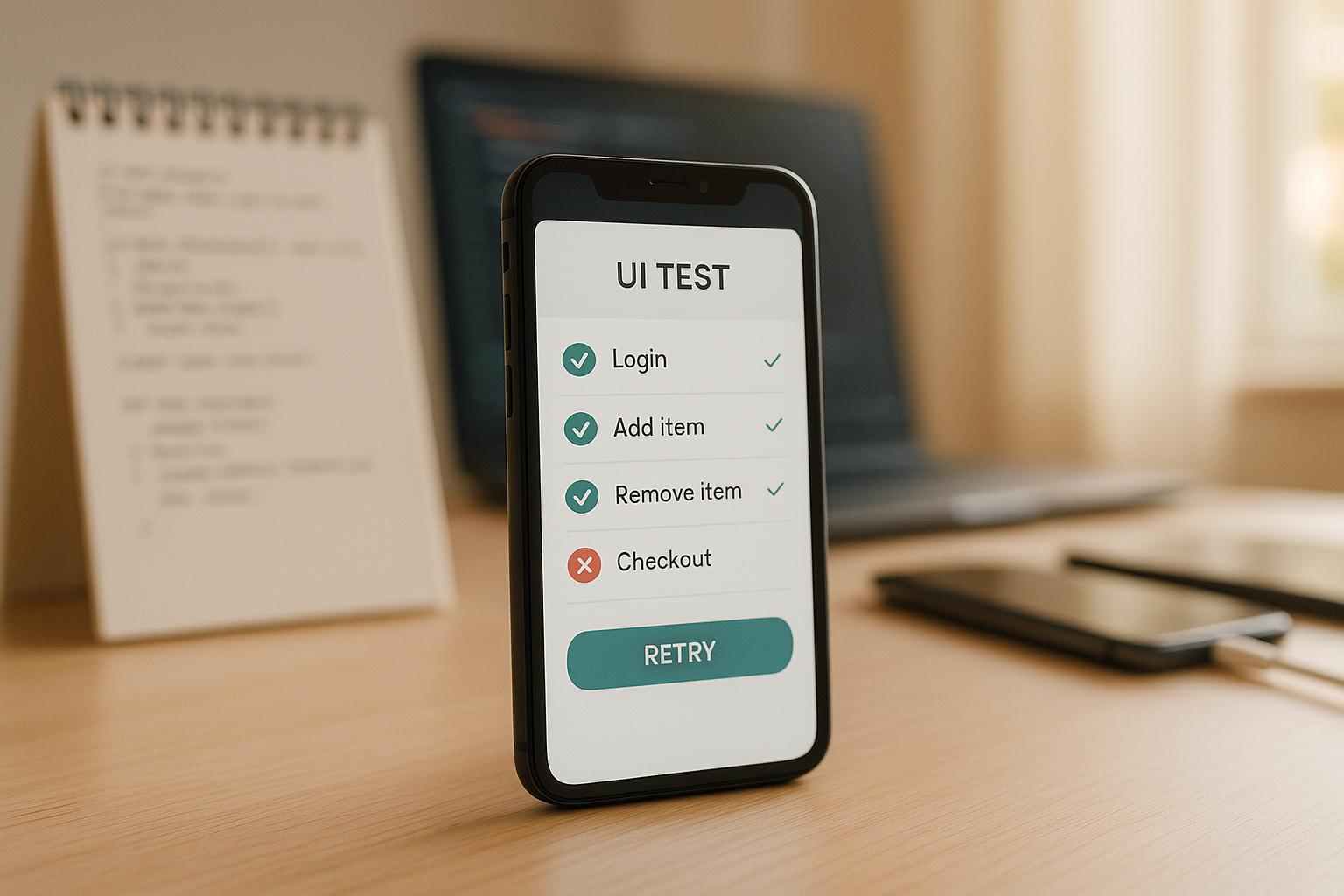
Flaky mobile UI tests can disrupt workflows and waste valuable time. They behave inconsistently, passing sometimes and failing at others, making it hard to trust your testing process. Here’s how you can fix them:
- Write Better Test Scripts: Use stable element IDs, modular patterns, clear naming conventions, and focus on critical user journeys.
- Fix Timing Issues: Replace static delays with explicit waits or condition-based synchronization to handle UI loading times effectively.
- Choose the Right Tools: Select automation tools like Maestro that simplify testing with YAML-based scripts, built-in retries, and cross-platform support.
- Handle Platform-Specific Issues: Account for differences in Android, iOS, and hybrid frameworks by using flexible locators and testing on real devices.
- Maintain Tests Regularly: Update scripts to reflect app changes, tag flaky tests, and refactor for better reliability.
Quick Tip: Tools like Maestro streamline testing by managing timing challenges, supporting multiple platforms, and simplifying maintenance with YAML-based definitions.
3 Steps to Fix Flaky Tests
1. Write Better Test Scripts
Creating dependable mobile UI tests starts with well-constructed scripts that reduce flakiness and are easy to maintain.
Best Practices for Writing Reliable Test Scripts
Use stable element IDs and modular patterns to manage UI changes. Avoid text-based selectors that can break with localization updates. Instead, rely on stable identifiers like IDs, which remain consistent across app versions and languages. Implement modular patterns such as the Page Object Model to separate test logic from UI structure. This way, when the UI changes, you only need to update the page objects instead of rewriting multiple test scripts.
Adopt clear naming conventions and robust logging. Replace vague names like "test1" with descriptive ones such as "verify_user_can_complete_checkout_flow" to clarify each test's purpose. Detailed logs can help pinpoint issues during execution, whether they stem from timing problems, element visibility, or unexpected app states.
Keep tests simple and modular. Break down complex test cases into smaller, manageable ones that can be combined when needed. This approach improves both maintainability and reusability.
Focus on critical user journeys. Prioritize testing the workflows that matter most to users, such as onboarding, upgrading from a trial to a paid account, or completing a purchase. Ensuring these essential paths work seamlessly delivers the most value.
Maestro's declarative YAML format aligns with these principles, making the process of creating test scripts more straightforward.
Using Maestro's YAML-Based Test Definitions
Maestro's YAML format simplifies UI test scripting by addressing common sources of flakiness. Its human-readable structure reduces syntax errors and makes scripts easier to manage.
Here’s an example of a Maestro test script for a Wikipedia app:
appId: org.wikipedia
---
- tapOn: "Search Wikipedia"
- inputText: "Mobile testing"
- tapOn: "Search"
- assertVisible: "Mobile testing"
With built-in parameterization, Maestro allows scripts to adapt to different scenarios without hardcoding values. This keeps tests stable and flexible.
Additionally, Maestro's plain text YAML files integrate seamlessly with version control systems like Git. This makes it easy to track changes, collaborate on reviews, and quickly roll back updates if needed. By focusing on user interactions rather than technical details, Maestro helps streamline your testing efforts.
2. Fix Timing and Synchronization Issues
Timing and synchronization problems often lead to flaky mobile UI tests. These issues arise when tests try to interact with UI elements before they're fully loaded. Mobile apps frequently load data, perform animations, and update UI elements asynchronously, making timing unpredictable.
Using Explicit Waits and Conditions
Relying on static delays like Thread.sleep(2000) is both inefficient and unreliable. Fixed delays can fail when the app takes longer than expected or waste time when the UI loads quickly. Instead, explicit waits and condition-based synchronization offer a much smarter solution by waiting for specific conditions to be met before moving forward.
Explicit waits monitor the app's real-time behavior. For instance, instead of pausing for a set two seconds, you can configure your test to wait until a button becomes visible or clickable. This dynamic approach aligns with the app's actual performance, making tests faster and less prone to failure.
Using condition-based waits also minimizes false positives (tests failing even when the app is functioning properly) and trims unnecessary delays. These waits are particularly effective in scenarios like handling loading screens, network requests, or animations with varying durations.
Here’s a quick comparison of approaches:
| Approach | Reliability | Performance | Maintenance |
|---|---|---|---|
| Static Delays | Doesn't adapt to app behavior | Often too short or too long | Requires frequent updates |
| Explicit Waits | Adapts to real-time conditions | Proceeds as soon as ready | Minimal adjustments |
| Built-in Tool Features | Handles edge cases effectively | Optimized for timing | Simplifies test creation |
By leveraging these strategies, tools like Maestro can further simplify and automate wait logic, reducing test flakiness.
Maestro's Automated Synchronization
Maestro tackles timing issues with built-in synchronization mechanisms that handle common timing challenges automatically. Instead of manually coding wait logic for every interaction, Maestro includes features like automatic retries and pre-defined waits.
For example, when you use tapOn: "Search" in a Maestro YAML script, the framework automatically waits for the search button to appear and become tappable before proceeding. This eliminates the need to write extra code for timing.
What sets Maestro apart is its ability to handle more than just basic element detection. It recognizes UI state changes and ensures elements are fully interactive - whether it's a button that fades in with an animation or a list that populates after a network request. This built-in adaptability reduces the manual effort needed to maintain stable tests.
Maestro also adjusts seamlessly to platform-specific timing differences without requiring additional configuration.
Studies show that addressing timing and synchronization challenges with improved strategies can significantly cut down on flaky tests, resulting in more reliable test suites and smoother testing workflows.
3. Choose the Right Automation Tools
Selecting the right automation tool is a crucial step in shaping a successful mobile UI testing strategy. With more than 3.5 million apps on Google Play and nearly 2 million on the Apple App Store, ensuring quality across such a vast mobile ecosystem requires a well-chosen testing framework.
A good testing tool should tackle common causes of test flakiness, such as timing issues, concurrency challenges, environment discrepancies, and unreliable third-party dependencies. Cross-platform support is especially valuable, as it allows teams to maintain a single codebase for both iOS and Android, avoiding the hassle of separate test suites.
Another critical feature is stable element identification. Mobile apps often undergo dynamic UI changes, so a tool must reliably locate elements even when the interface updates. Many modern tools now use AI-powered methods to automatically address these challenges.
Integration capabilities are equally important. A tool that integrates seamlessly with CI/CD pipelines enables continuous testing and faster feedback loops, helping teams catch and resolve flakiness early in the development process.
Key Features of Maestro for Reducing Flakiness
When it comes to mobile UI testing, Maestro stands out for its thoughtful design and practical solutions to common challenges.
Maestro simplifies testing by automatically managing mobile app instability. For example, it retries actions if elements aren’t immediately present, removing the need for developers to manually add sleep() calls. This automatic handling ensures the UI settles properly after network requests or animations.
Its cross-platform compatibility is another highlight. Maestro supports Android, iOS, React Native, Flutter, WebViews, and native apps, allowing teams to write one set of test flows for multiple environments.
The framework also uses a YAML-based declarative syntax for its test definitions. This makes test cases easy to read and modify, encouraging collaboration between QA engineers and developers, regardless of technical expertise. Additionally, Maestro significantly reduces the time required to create functioning UI tests - over 10 times faster than traditional methods - thanks to its streamlined setup and built-in solutions for common testing issues.
Another advantage is its straightforward installation process. Maestro’s CLI tool is distributed as a single binary for macOS, Linux, and Windows, eliminating the complex dependency management that often bogs down other frameworks.
| Feature | Traditional Tools | Maestro |
|---|---|---|
| Setup Complexity | Multiple dependencies, platform-specific configuration | Single binary installation |
| Flakiness Handling | Manual retry logic required | Built-in tolerance and automatic retries |
| Cross-Platform Support | Separate codebases for iOS/Android | Single YAML flows for all platforms |
| Timing Management | Manual waits and sleep calls | Automatic UI settling detection |
Staying Updated with Tool Documentation
Maestro is constantly evolving, with regular updates that introduce new features and improvements. Since its debut in July 2022, the framework has grown significantly, with its CLI reaching version 1.41.0 as of June 25, 2025. To stay current, check the official documentation at docs.maestro.dev. Regularly reviewing updates can help you discover new verification options and better ways to adapt to different environments. Organizing test suites into smaller YAML files - one per feature or scenario - can also make them easier to maintain and debug.
Beyond the official documentation, Maestro’s active community is a valuable resource. The public Slack channel is a hub for QA engineers and developers to share advice and troubleshoot issues. Additionally, Maestro’s JavaScript integration capabilities allow teams to interact with APIs and make HTTP(S) requests directly within test flows. While the framework currently supports only a lightweight subset of Vanilla JavaScript, staying informed through the documentation will help you navigate its capabilities and limitations.
Maestro Studio is another tool to watch, as it continues to roll out updates aimed at reducing manual effort.
sbb-itb-e343f3a
4. Handle Platform-Specific Challenges
Once you've optimized your scripts and synchronized your tests, the next step is tackling platform-specific quirks. Mobile platforms like Android, iOS, React Native, and Flutter each come with their own unique behaviors that can throw a wrench into your test automation efforts. These differences can make UI tests less predictable, and cross-platform solutions often fall short when it comes to addressing these platform-specific challenges.
For example, iOS has its signature bounce effect, while Android employs a glow effect for similar UI interactions. Even navigation patterns differ significantly between the two platforms. To ensure reliable testing, you’ll need tailored strategies to handle these nuances effectively.
Handling Platform-Specific UI Components and Gestures
Each platform has its own rules for UI interactions. iOS supports fluid tap responses and multi-touch gestures, while Android often requires more specific tap durations and multi-touch configurations. These differences call for a thoughtful approach.
One effective method is using platform-specific locators that adapt to the environment. Conditional logic in your test scripts can help you manage these variations. For instance, Android tests might need to account for different screen densities and hardware setups, while iOS tests should factor in varying device sizes and unique system gestures.
Dynamic locators are particularly useful here. By relying on accessibility IDs or relative positioning, you can create tests that work across devices with different screen sizes and orientations. This reduces the risk of tests breaking when switching between devices.
Real device testing is another critical step. While emulators and simulators are helpful during development, they often fail to replicate the exact gesture behaviors of physical devices. Testing on a range of real devices ensures you catch those device-specific quirks. If maintaining a physical device lab isn’t feasible, cloud-based testing services offer a practical alternative by providing access to a wide variety of devices.
For React Native applications, using TestIDs ensures consistent element identification across platforms, further simplifying the testing process.
Using Maestro's Cross-Platform Test Logic
Maestro can make handling platform-specific challenges much easier. Its YAML-based syntax abstracts away many of the complexities tied to individual platforms. Maestro automatically adjusts test commands to fit each platform's requirements, compensating for timing differences and ensuring stable tests across environments.
The framework also excels at addressing platform-specific element identification issues. For instance, while Android uses resource IDs and iOS relies on accessibility identifiers, Maestro’s element detection works seamlessly across both platforms, eliminating the need for separate locator strategies.
For teams working with hybrid frameworks like React Native or Flutter, Maestro offers particular advantages. Flutter’s adaptive widgets already help manage UI differences between iOS and Android, and Maestro complements this by ensuring consistent test execution, no matter how the framework renders components.
5. Keep Tests Updated and Maintained
To keep your test suite reliable, ongoing maintenance is critical. Even the most carefully designed UI tests can fall apart without regular updates. Apps evolve - new features are added, UI designs shift, and platform updates roll out. Your tests need to keep pace. Research shows that 59% of developers deal with flaky tests on a monthly, weekly, or daily basis (with 15% encountering them daily, 24% weekly, and 20% monthly). Regular maintenance isn't just a good habit - it's a necessity to prevent your test suite from becoming a liability.
Regularly Review and Refactor Test Cases
Treat your test code with the same level of care as production code. This means applying quality standards, leveraging design patterns, and conducting peer reviews. Start by identifying flaky tests systematically - use custom annotations to tag them and schedule tech-debt tasks during sprints.
To adapt to UI changes, rely on rule-based or test-ID-based locators instead of brittle selectors. This approach minimizes the effort needed to update tests when the UI shifts.
For consistent test results, use static snapshots instead of dynamic inputs. If sensitive user data is involved, anonymize it to maintain privacy while ensuring consistency.
Another key step is making tests independent. Each test should handle its own setup and teardown to avoid side effects. For instance, include teardown functions to reset configurations, clear caches, delete temporary files, and restore mocked dependencies after each test run.
Finally, peer reviews can uncover hidden issues in your test code. A fresh set of eyes might catch flaky logic, overly complicated test structures, or maintenance red flags before they become widespread problems.
By consistently refining your test cases, you create a foundation for faster feedback and smoother updates.
Use Maestro's Fast Iteration Features
Maestro simplifies test maintenance with tools designed for quick adjustments. Its YAML syntax makes test updates straightforward, allowing you to respond to UI changes immediately. With its rapid feedback loop, you can catch and fix issues before they snowball.
One standout feature is Maestro's built-in tolerance for timing variations. Instead of constantly tweaking wait times and synchronization logic, Maestro adapts to your app's performance changes automatically.
Maestro also supports cross-platform testing, enabling updates to a single test suite for both Android and iOS. You can configure automatic retries and fine-tune action wait times and timeouts to handle temporary glitches without manual intervention. This gives your team breathing room to address root causes during scheduled maintenance.
Additionally, monitoring test execution times can reveal early signs of flakiness, helping you tackle issues before they escalate. With Maestro's tools, maintaining your test suite becomes a less daunting task, keeping your app's quality in check.
Conclusion
To ensure reliable test results, focus on these five core strategies: writing effective test scripts, addressing timing issues, selecting the right automation tools, tackling platform-specific challenges, and maintaining tests consistently. Together, these elements create a solid foundation for dependable and efficient testing.
Each strategy works in tandem with the others - overlooking even one can compromise the entire process. With over 5.78 billion smartphone users globally, the importance of reliable mobile testing is undeniable. Consider this: users abandon mobile sites if load times exceed 3 seconds (specifically for mobile web pages; app abandonment thresholds vary by context). Stable UI tests are essential for identifying performance issues before they impact users. On top of that, well-executed automation can reduce testing time by as much as 70%.
Tools like Maestro complement these strategies perfectly. Its YAML-based syntax simplifies test creation, making it accessible to teams with varying technical expertise. Maestro also addresses timing challenges with built-in flakiness tolerance, supports both Android and iOS seamlessly, and streamlines maintenance with fast iteration capabilities - key features that align with the principles outlined here.
A strong testing approach doesn’t just catch bugs; it does so early, runs efficiently, and offers clear guidance for fixes. To achieve this, integrate testing throughout the development lifecycle - not just at the end. Define clear testing goals, prioritize testing on real devices for accurate user experiences, and use automated tools for consistent regression testing. These practices align with the strategies discussed, from robust scripting to ongoing maintenance.
Keep in mind, achieving stable mobile UI tests is not a one-time effort. As technology evolves, platforms change, and user expectations grow, maintaining test reliability requires continuous improvement. Teams that succeed treat testing as an ongoing process, using tools like Maestro to adapt and deliver high-quality experiences to their users.