
Mobile app testing is critical for enterprises to ensure seamless user experiences and avoid costly app crashes. With over 4.32 billion active mobile users globally, testing tools help tackle challenges like device fragmentation and high maintenance costs in test automation. Three leading solutions stand out: Maestro, Appium, and Perfecto.
Quick Takeaways:
- Maestro: Simplifies testing with YAML syntax, ideal for teams without coding expertise. It offers fast execution and low flakiness but has limited advanced logic support.
- Appium: Open-source, widely used for its flexibility and programming language support. However, it's resource-intensive and prone to flakiness without expert tuning.
- Perfecto: AI-driven with self-healing scripts and access to 10,000+ devices. Best for large-scale operations but comes with higher costs.
Quick Comparison:
| Feature | Maestro | Appium | Perfecto |
|---|---|---|---|
| Ease of Use | YAML-based, non-coders friendly | Requires coding expertise | AI-driven, automated |
| Cross-Platform | iOS, Android, Web | iOS, Android, Windows | iOS, Android, Web |
| Scalability | Cloud-based, fast execution | Client-server architecture | Parallel sessions, AI-driven |
| Pricing | Free (CLI); $250/device/month | Free (open-source) | Paid plans (starting at Live) |
| Best For | Quick, simple test flows | Customizable, flexible testing | Large-scale, low-maintenance |
Each tool caters to different needs. Choose based on your team's expertise, budget, and testing complexity.
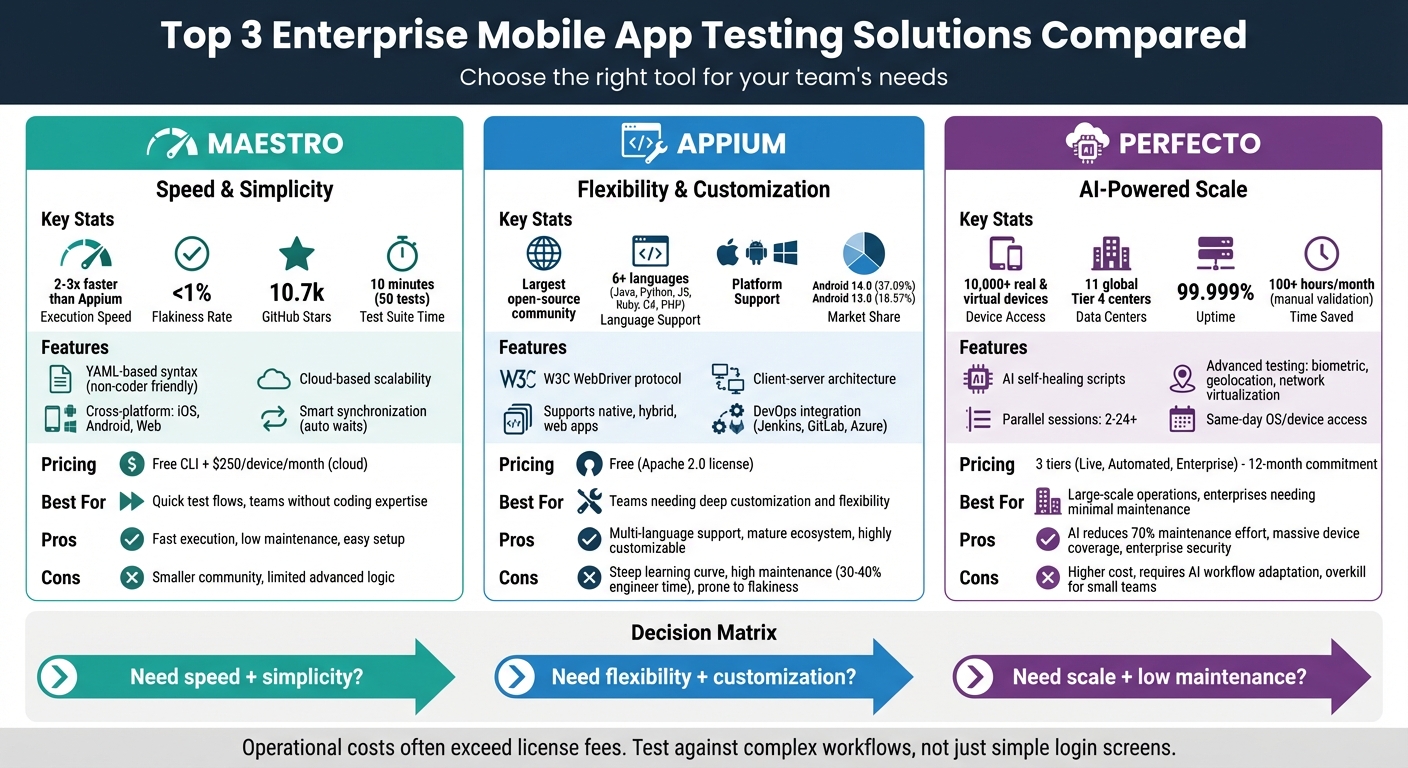
Enterprise Mobile App Testing Solutions Comparison: Maestro vs Appium vs Perfecto
1. Maestro
Maestro takes the complexity out of test automation by eliminating the need for programming knowledge. Instead of writing code in languages like Java, Python, or JavaScript, teams can create tests using a simple YAML-based syntax. This approach relies on clear, plain instructions such as tapOn: Login, inputText: user@example.com, and assertVisible: Welcome. The result? Tests that are not only easy to create but also self-documenting, making them accessible to QA analysts without a software engineering background.
Scalability
Maestro's lightweight design is built for the cloud, enabling teams to run hundreds of tests simultaneously without the burden of heavy infrastructure. For enterprises with extensive test suites, Maestro Cloud can cut execution times by up to 90% through parallel test runs. This scalability supports seamless testing across multiple platforms, making it a practical choice for large-scale operations.
Cross-Platform Support
Maestro's scalable architecture extends to its ability to handle cross-platform testing with ease. It provides a unified framework for testing iOS, Android, and web applications - all using the same YAML syntax. Whether you're working with native UI components like Jetpack Compose and SwiftUI or hybrid frameworks such as React Native, Flutter, NativeScript, .NET MAUI, Capacitor, and Cordova, Maestro has you covered. For platform-specific needs, conditional execution (e.g., when: platform: iOS) allows teams to address unique scenarios like iOS-specific permission dialogs. By February 2026, Maestro had already gained 10.8k stars on GitHub, highlighting its growing popularity.
"Write once, run on both iOS and Android. The same flow file works across platforms with minimal modifications." - Nawaz Dhandala, Software Engineer, OneUptime
Ease of Maintenance
Maestro simplifies test maintenance with its Smart Synchronization engine, which automatically manages UI waits, animations, and network requests. This eliminates the need for manual sleep or wait commands, resulting in flakiness rates under 1%. A typical 50-test regression suite can be completed in just 10 minutes using Maestro, compared to 25–30 minutes with traditional tools. Test execution is also 2-3x faster, with a standard checkout flow taking only 12–18 seconds versus 30–45 seconds in code-heavy frameworks. Updating tests is straightforward too - often requiring just a single line change in the YAML file.
Pricing
The Maestro CLI and Maestro Studio are free and open-source. For teams looking to leverage the cloud platform, Maestro Cloud offers paid plans at $250 per device per month for Android and iOS testing, and $125 per browser per month for web testing. A 7-day free trial is available, allowing teams to explore the platform before committing.
sbb-itb-e343f3a
2. Appium
Appium offers a code-focused solution for enterprises that need extensive customization in their testing processes.
This open-source framework allows businesses to test mobile applications without altering the app's source code. Built on the W3C WebDriver protocol - the same standard behind Selenium - it integrates effortlessly with existing web automation tools. Appium also supports several programming languages, including Java, Python, JavaScript, Ruby, C#, and PHP, making it flexible for diverse development teams.
Cross-Platform Support
One of Appium's standout features is its ability to use a single API for creating tests that run across iOS, Android, and Windows platforms. This unified approach allows developers to reuse code, cutting down the time and effort needed to maintain separate scripts for each platform. Behind the scenes, Appium relies on platform-specific frameworks like XCUITest for iOS (9.3+), UiAutomator/UiAutomator2 for Android (4.3+), and WinAppDriver for Windows. This setup ensures smooth transitions between native app elements and webviews, making it ideal for hybrid apps.
Scalability
Appium's client-server architecture makes it highly scalable. The server can be hosted on different machines or cloud services, enabling large-scale parallel testing. Enterprises can run tests across multiple devices simultaneously, ensuring compatibility with a wide range of devices. Additionally, Appium integrates seamlessly with DevOps tools like Jenkins, GitLab CI, and Azure DevOps, supporting automated regression testing as part of continuous delivery pipelines. As Martin Schneider, a Delivery Manager, shared:
"Before BrowserStack, it took eight test engineers a whole day to test. Now it takes an hour. We can release daily if we wanted to."
While its architecture is robust, maintenance challenges still exist.
Ease of Maintenance
Appium tests can face stability issues due to fragile locators, such as XPath, which can slow down performance. To improve test reliability, teams should use Accessibility IDs and the Page Object Model (POM) to centralize element definitions. Replacing hard-coded delays with explicit waits like WebDriverWait is another best practice. Additionally, Android device fragmentation adds complexity. For instance, as of early 2026, Android 14.0 holds a 37.09% market share, followed by Android 13.0 at 18.57% and Android 12.0 at 13.07%.
Pricing
Appium is completely free under the Apache 2.0 license. While there are no licensing fees, enterprises should consider the costs of engineering resources and cloud-based device farms when scaling their testing efforts.
3. Perfecto
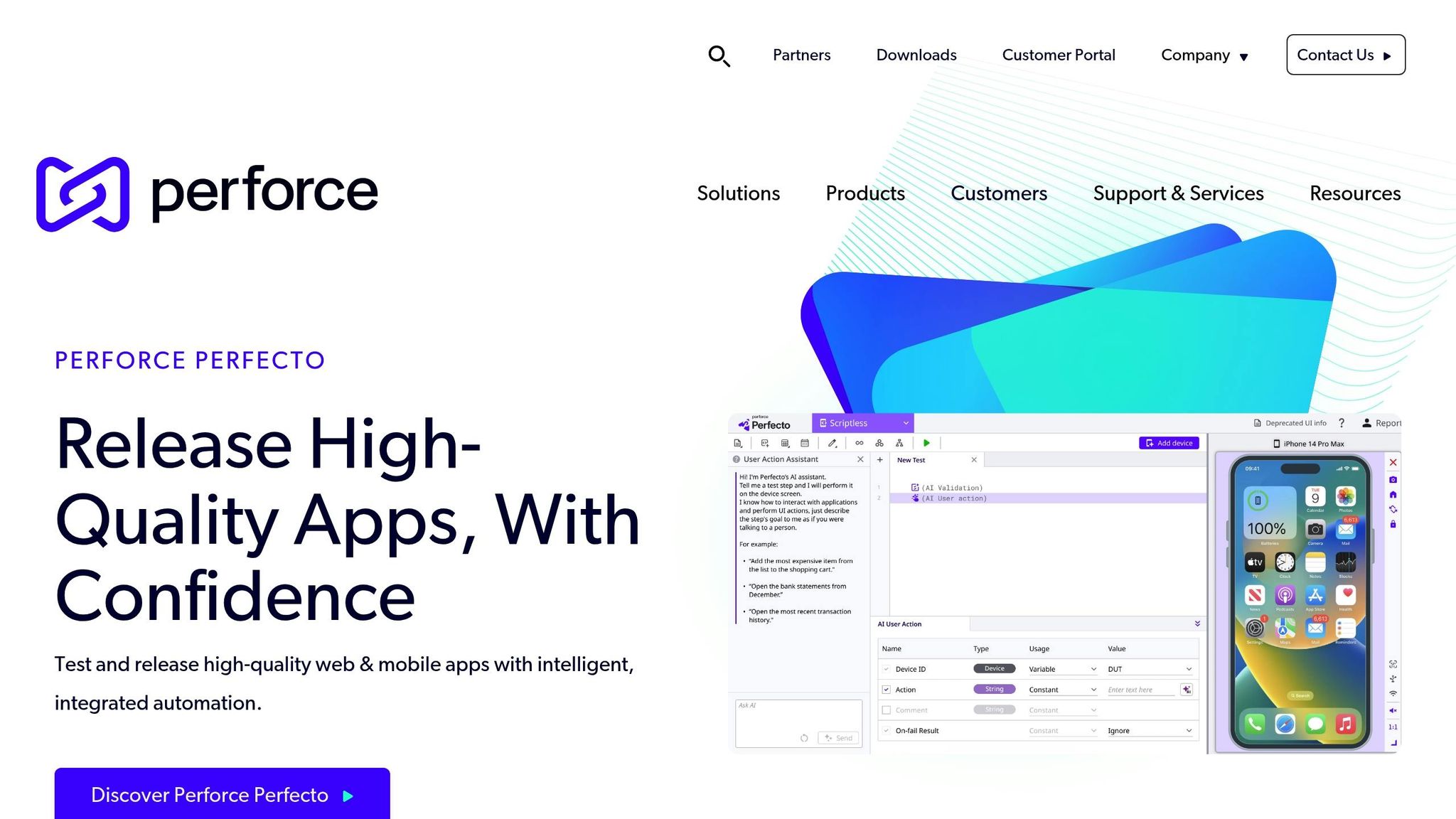
Perfecto provides enterprises with instant cloud access to 10,000 real and virtual devices, removing the need for physical hardware maintenance. Operating through 11 global Tier 4 data centers, it ensures low latency and complies with PCI, SOC II, ISO 27001, and GDPR standards. With a 99.999% uptime guarantee, Perfecto delivers reliable availability for critical testing needs. This infrastructure forms the backbone for its broad cross-platform capabilities and scalable solutions.
Cross-Platform Support
Perfecto leverages its strong cloud infrastructure to offer wide-ranging support across platforms. It enables testing on iOS, Android, and web platforms using popular frameworks like Appium, Selenium, XCUITest, Espresso, Cypress, and Playwright. Users get same-day access to new OS versions and device releases, bypassing delays tied to hardware acquisition. Beyond functional testing, the platform accommodates advanced mobile-specific scenarios, including biometric testing (Touch ID/Face ID), camera image injection for QR code scanning, geolocation testing, and network virtualization. Developers can also use DevTunnel to connect remote cloud devices directly to local IDEs for real-time debugging, mimicking a physical USB connection.
Scalability
Perfecto supports between 2 and 24+ parallel sessions, cutting regression cycles from hours to minutes. Its AI-powered self-healing features save over 100 hours of manual validation each month, as noted by Kumar Vellore. For organizations with high-security or high-volume testing needs, Perfecto offers dedicated private and hybrid cloud environments. Additionally, its AI-driven self-healing technology adapts to UI changes, reducing the maintenance workload that typically accounts for 70% of enterprise test automation efforts. These scalability features provide flexibility and efficiency, with pricing options outlined below.
Pricing
Perfecto offers three subscription tiers:
- Live: Focused on manual testing with access to popular devices.
- Automated: Supports major frameworks with parallel execution capabilities.
- Enterprise: Includes dedicated devices, premium integrations, and 24/7 priority support.
Subscriptions require a 12-month commitment, though public cloud plans allow monthly billing at a higher rate. Public cloud subscriptions also offer the option to cancel with a 60-day notice.
| Feature | Live Plan | Automated Plan | Enterprise Plan |
|---|---|---|---|
| Device Type | Latest & Popular Devices | Real & Virtual Devices | Dedicated Private/Hybrid Cloud |
| Automation | N/A | Major Frameworks | Full Support + Cypress & Quantum |
| Support | Standard (12/7) | Standard (12/7) | Priority (24/7) |
| Integrations | Standard | Standard | Premium + Open REST API |
Pros and Cons
When it comes to enterprise mobile testing, each tool has its own strengths and compromises. The key to selecting the right one lies in weighing factors like speed, usability, and long-term scalability.
Maestro stands out for speed, running tests about 2-3 times faster than Appium. It also features built-in smart synchronization, keeping flakiness under 1% - a huge time-saver by eliminating manual wait commands. However, its smaller community and limited functionality for advanced conditional logic might pose challenges for teams needing extensive customization.
Appium is the go-to standard, thanks to its large community and support for nearly every programming language, making it adaptable to diverse environments. But this flexibility comes at a cost: setup is complex, maintenance can eat up 30-40% of an engineer’s time, and tests are prone to flakiness unless fine-tuned by experts.
Perfecto tackles maintenance issues head-on with AI-powered self-healing, automatically adapting to UI changes. Kumar Vellore, Managing Director at PreludeSys, noted that "Perfecto AI saved over 100 hours of manual validation monthly", highlighting its efficiency. Its global cloud access to thousands of real devices also makes it ideal for scaling. However, its enterprise-level pricing can be a deterrent, especially compared to open-source alternatives.
Here’s a quick breakdown of the pros and cons for each tool:
| Solution | Pros | Cons |
|---|---|---|
| Maestro | • Executes tests 2-3x faster than Appium • Simple YAML syntax for non-coders • Smart waits reduce flakiness to under 1% • Easy installation |
• Smaller community and fewer plugins • Limited support for complex conditional logic • Growing cloud device support • Not ideal for complex branching |
| Appium | • Large, mature open-source community • Supports multiple programming languages • Customizable plugin architecture • Uses W3C WebDriver protocol |
• Steep learning curve • High maintenance for locator strategies • Flaky tests without expert tuning • Slower due to client-server architecture |
| Perfecto | • AI self-healing minimizes maintenance • Access to thousands of real devices via global cloud • Integrated performance and API testing |
• Higher costs compared to open-source tools • Requires teams to adapt to AI-driven workflows • Overkill for small teams or simple apps |
Ultimately, the right choice depends on your priorities. If speed and simplicity are key, Maestro is worth considering. For flexibility and a robust ecosystem, Appium is hard to beat. And if minimal maintenance and scalability are top of mind, Perfecto could be the ideal fit, despite its higher price tag.
Conclusion
Choosing the right testing solution boils down to scalability, maintenance needs, and total cost of ownership. Each option discussed aligns with different enterprise requirements, so understanding how they fit your specific workflows is key.
Maestro is all about speed and simplicity. Its YAML-based approach makes it perfect for quick UI validations, especially when engineering resources are stretched thin. However, it’s better suited for straightforward test flows rather than handling complex logic. Its built-in delay tolerance adds reliability without needing manual tweaks.
Appium, on the other hand, is the go-to choice for teams that need broad coverage and deep customization. As QA Wolf puts it:
"Appium remains the industry standard for cross-platform native and hybrid E2E testing... it holds up as test suites scale".
This tool shines with its flexibility, supporting multiple programming languages and frameworks. But keep in mind, the operational costs can add up, especially for larger teams.
Perfecto stands out for reducing maintenance headaches with features like AI self-healing and its managed device cloud. Large enterprises looking to speed up release cycles while cutting down the time spent fixing broken scripts (often 70% of automation effort) will find it particularly useful. Though it comes with a higher subscription cost, the operational savings and a 99.999% uptime guarantee make it a strong contender.
It’s also worth noting that operational costs often outweigh license fees. QA Wolf emphasizes this:
"Budget for ops, not the framework license. The hidden costs are device access, iOS constraints, CI parallelization, and keeping tests stable over time".
For example, a $500/month commercial license can offer a 10x ROI if it saves 40+ engineering hours each month by minimizing manual maintenance. To truly evaluate a tool’s worth, test it against your most complex workflows - not just simple tasks like login screens - to ensure it can handle production-level challenges.