
Real-time UI validation ensures apps work smoothly during actual usage, especially for critical flows like login, checkout, or search. Unlike older methods that rely on fixed delays (sleep()), it adjusts automatically to dynamic conditions like network speed or UI changes. Maestro simplifies this process, offering YAML-based tests that are easy to write, cross-platform compatible, and resilient to delays or flakiness.
Key Highlights:
- Dynamic Timing: Maestro waits only as needed, retrying actions when UI elements aren't ready.
-
Simple YAML Test Creation: Write tests in plain language with commands like
tapOnandassertVisible. - Cross-Platform Support: Works on Android devices/emulators, iOS simulators, and desktop/mobile web browsers without extra setup. Official docs state: "At the moment, Maestro does not support physical iOS devices", which is an important limitation to note.
- Quick Test Runs: Instant execution with no compilation, plus live updates during development.
- No-Code Option: Maestro Studio lets non-technical users create tests visually, with AI assistance for faster workflows.
Maestro has helped companies like Wahed and Eneco cut testing times by over 90%. Whether you're a developer or a manual tester, Maestro makes UI validation faster and less complex.
Google Maps UI Test Automation with Maestro - Full YAML Tutorial

Key Features of Maestro for Real-Time Validation
Maestro offers tools that reshape how teams handle real-time UI validation, tackling common testing hurdles and building dependable test suites.
Built-In Flakiness and Delay Tolerance
Mobile apps often behave unpredictably. Buttons might move during animations, or network requests could slow down due to varying conditions. Maestro addresses these challenges by automatically waiting just long enough for elements to become interactive and retrying failed actions - eliminating the need for manual sleep() commands. As Leland Takamine, Co-founder and CEO of mobile.dev (now Maestro), puts it:
"Maestro embraces the instability of mobile applications and devices and tries to counter it."
This automatic synchronization not only improves reliability but also speeds up testing compared to fixed delays.
Take Doccla, a health-tech company, as an example. By using Maestro's automated pipeline, they cut out an entire day of manual regression testing. Maestro handled UI delays and dynamic states without requiring custom retry logic.
On top of this, Maestro simplifies test creation with its declarative YAML-based flows.
Declarative YAML-Based Test Flows
Maestro’s YAML syntax is designed to be easy to use, relying on plain language commands like tapOn, inputText, and assertVisible. This removes the need for programming expertise. For instance, a complete test flow for Twitter - opening the app, searching for an account, following it, and verifying the action - takes just eight lines of YAML. Since tests are interpreted rather than compiled, Maestro instantly detects changes to test files and reruns them, enabling a fast feedback loop. This approach allowed the team at travel app Komoot to create over 100 reliable tests in under two weeks.
The YAML syntax also supports reusable sub-flows, making it easier to manage repetitive tasks. For example, a login sequence can be defined once and reused across multiple tests using the runFlow command. Any updates to the login logic only need to be made in one place, streamlining maintenance.
This simplicity extends across all supported platforms.
Cross-Platform Compatibility
With Maestro, a single test works seamlessly on Android, iOS, and web platforms without requiring any changes. It supports a range of technologies - including React Native, Flutter, Jetpack Compose, SwiftUI, .NET MAUI, and WebViews. Whether running on physical devices, emulators, simulators, or desktop browsers, the same YAML files can be used. This platform-agnostic setup reduces maintenance efforts and speeds up release cycles.
Creating and Running Real-Time Validation Tests
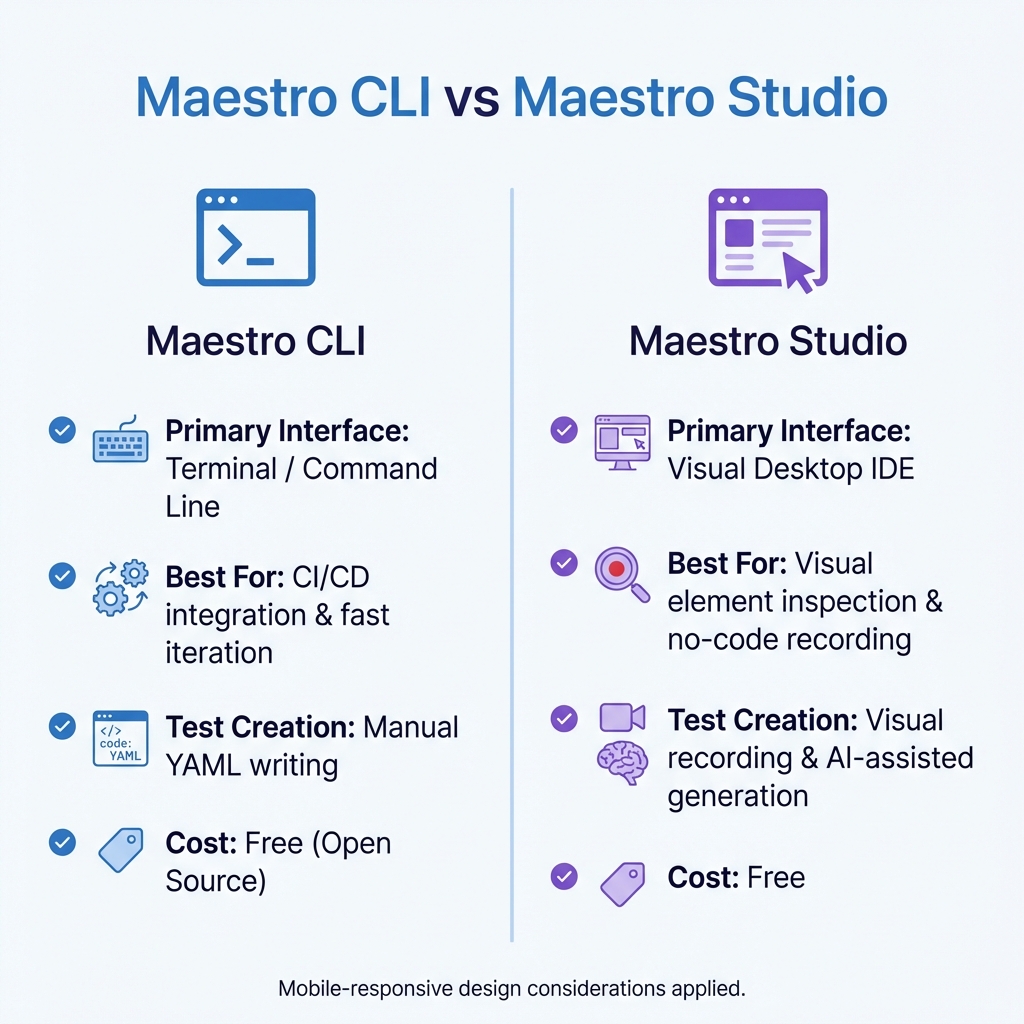
Maestro CLI vs Maestro Studio: Feature Comparison for UI Testing
When it comes to real-time UI validation in Maestro, you have three main options: manually writing YAML flows, running tests through the command line, or leveraging the visual interface. Each approach caters to different workflows and skill levels, making it flexible for a variety of teams.
Defining Flows for Validation
A YAML file in Maestro starts with an appId, followed by a separator (---), and sequential commands. These commands are written in plain language, such as launchApp, tapOn, inputText, and assertVisible, mimicking real user actions.
For dynamic user interfaces, Maestro supports conditional logic using repeat and while commands. For example, in September 2025, a test for Apple Maps (com.apple.Maps) used a repeat loop with a while: notVisible condition. This loop continually tapped a navigation "Cone" until the address "10300 N Tantau Ave" appeared. The test ended with a relative assertion: assertVisible: text: Closed, rightOf: Sunday.
Relative selectors like rightOf and below make these assertions more adaptable to UI changes, such as animations or layout shifts. This approach ensures tests remain stable even as designs evolve, reducing the need for constant updates.
Once your flows are ready, the next step is running them efficiently using the Maestro CLI.
Using Maestro CLI for Test Execution
The Maestro CLI allows for quick local test execution with immediate feedback. Installation is simple and works across macOS, Linux, and Windows (via WSL):
curl -fsSL "https://get.maestro.mobile.dev" | bash
The only requirement is Java 17 or higher. Running a single flow is as easy as:
maestro test flow.yaml
Because Maestro uses an interpreted execution engine, there’s no need for compilation. The CLI also supports live monitoring of test files, automatically re-running them when changes are detected - perfect for rapid iterations during development.
Need to run multiple tests? Just point the CLI to a directory:
maestro test myFolderWithTests/
For generating reports, especially for CI/CD pipelines, use the --format parameter:
maestro test --format junit <folder>
This creates XML or HTML reports that integrate seamlessly with testing dashboards. Debugging is also made easier with the maestro hierarchy command, which reveals the raw UI element structure seen by Maestro, helping to troubleshoot selection issues or unexpected behaviors.
For teams who prefer a no-code approach, Maestro Studio offers an alternative solution.
Visual Test Creation with Maestro Studio
Maestro Studio provides a completely code-free way to create tests through its visual desktop interface, available for macOS, Windows, and Linux. The element inspector highlights UI components and generates selectors and interaction snippets, eliminating the need for source code inspection.
The action recorder simplifies test creation by converting user interactions into YAML commands in real time. As you interact with an app in an emulator or simulator, Maestro Studio automatically generates the necessary test code. If you need to tweak a command, you can edit it visually without starting over.
"Maestro Studio empowers anyone - whether you're a developer, tester, or completely non-technical - to write Maestro tests, without sacrificing maintainability or reliability."
For those unfamiliar with YAML syntax, MaestroGPT, an integrated AI assistant, makes test creation even easier. By using natural language chat, it generates test commands while maintaining the same clean and deterministic output as manual flows. Teams have reported cutting test creation time from several hours to just 10–15 minutes using this feature.
Additionally, the local REPL (Read-Eval-Print Loop) interface lets users type or edit commands and see the results instantly on a connected device. This combination of visual recording, AI assistance, and manual refinement provides unmatched flexibility for building validation suites tailored to dynamic, real-world scenarios.
| Feature | Maestro CLI | Maestro Studio |
|---|---|---|
| Primary Interface | Terminal / Command Line | Visual Desktop IDE |
| Best For | CI/CD integration & fast iteration | Visual element inspection & no-code recording |
| Test Creation | Manual YAML writing | Visual recording & AI-assisted generation |
| Cost | Free (Open Source) | Free |
sbb-itb-e343f3a
Advanced Techniques for Real-Time UI Validation
Building on Maestro's core features, there are advanced methods that make real-time validation even more effective, especially in complex scenarios.
Handling Dynamic and Network-Dependent States
Validating UI in real-time gets tricky when animations, network requests, or shifting elements are involved. Thankfully, Maestro automatically syncs with your app's state, eliminating the need for manual sleep() commands. It waits for network content only when necessary. As Leland Takamine, Founder of mobile.dev, puts it:
"Maestro knows that it might take time to load the content (i.e. over the network) and automatically waits for it (but no longer than required)."
By using the device's accessibility layer - the same technology behind VoiceOver and TalkBack - Maestro identifies UI elements across frameworks like React Native, Flutter, and native environments. This avoids relying on fragile implementation details. It also manages delays caused by network dependencies and retries actions if UI elements shift or a tap doesn't register right away.
To explore your app's UI structure, you can use the [maestro hierarchy](https://docs.maestro.dev/cli/view-hierarchy) command, which makes troubleshooting much easier. For an even more user-friendly approach, Maestro Studio provides a visual element inspector. This graphical tool simplifies debugging and is accessible to both technical and non-technical team members.
These tools and techniques set the stage for efficiently scaling your tests, which is explored in the next section on parallel execution and cloud integration.
Parallel Execution and Cloud Integration
When it comes to scaling validation across multiple devices and browsers, Maestro Cloud makes the process straightforward. It supports parallel test execution, reducing test durations by up to 90%. Once you've validated your flows locally, deploying them to the cloud is as simple as running:
maestro cloud <folder>
This command distributes your test suite across Android devices, iOS simulators, and web browsers, enabling tests to run simultaneously instead of one after another. This is a game-changer for testing diverse scenarios quickly.
For continuous integration and delivery (CI/CD), Maestro integrates seamlessly with platforms like GitHub Actions, Bitrise, CircleCI, and Bitbucket Pipelines. You can generate detailed JUnit-compatible reports using the --format junit flag. Additionally, the experimental --analyze feature reviews test logs and screenshots automatically, helping you spot functional glitches, UI inconsistencies, and even internationalization issues.
Major players like Microsoft, Meta, and DoorDash trust Maestro for their end-to-end testing needs. In 2025, healthcare company Doccla saved an entire day of manual regression testing by switching to a fully automated Maestro pipeline. These advanced methods ensure that Maestro remains a powerful solution for even the most demanding validation tasks.
Conclusion
Real-time UI validation doesn't have to be complicated. Maestro shows that it's possible to combine simplicity with reliability in test automation. By cutting out complex setups and manual delays, it allows teams to concentrate on what truly matters - quickly and accurately validating user flows.
With its declarative YAML syntax, Maestro ensures tests are easy to read for everyone - from seasoned developers to manual testers exploring automation. Maestro Studio builds on this ease of use by offering a visual, no-code interface. Here, users can record actions, inspect elements, and generate test flows without needing to touch the command line. This feature helps QA teams quickly train manual testers, often within just a week.
What sets Maestro apart is its ability to handle flakiness and delays - a common challenge in mobile app testing. It smartly manages unpredictable situations, like waiting for network content only when required or retrying actions when UI elements shift. This reduces brittle tests and slashes maintenance efforts. As Leland Takamine, Founder, explains:
"Maestro reduces the time to build a functioning UI test by >10x, and more importantly makes updating them just as easy."