User interface testing ensures apps and websites work as intended by automating the checking of user interactions. Choosing the right framework depends on your project needs, platforms (web, mobile, or cross-platform), and team expertise. Here's a breakdown of five popular UI testing frameworks:
- Maestro: Focuses on simplicity with YAML-based test creation. It supports Android, iOS, React Native, Flutter, and web testing. Known for easy setup and handling flaky tests well. Pricing starts at $250/month per mobile device for cloud testing.
- Selenium: A long-standing tool for web testing with support for multiple browsers and programming languages. It’s free but requires significant setup and maintenance effort.
- Appium: Specializes in mobile testing for Android and iOS. Open-source but has a steep learning curve and struggles with test reliability.
- Cypress: Built for modern web apps, offering fast execution and user-friendly debugging tools. Limited to web testing and primarily Chromium-based browsers.
- Detox: Tailored for React Native apps, providing solid integration but limited to this ecosystem. Open-source but challenging to set up.
Quick Comparison
| Framework | Platforms Supported | Setup Complexity | Flakiness Handling | Best For | Cost |
|---|---|---|---|---|---|
| Maestro | Android, iOS, React Native, Flutter, Web | Low | Excellent | Cross-platform testing | Free (local); starts at $250/device for cloud |
| Selenium | Web browsers | High | Poor | Comprehensive web testing | Free |
| Appium | Android, iOS (native & hybrid) | High | Poor | Mobile-specific testing | Free |
| Cypress | Web browsers (Chrome, Firefox, Edge, WebKit) | Medium | Good | Modern web app testing | Free; paid plans from $75/month |
| Detox | React Native apps | High | Good | React Native-exclusive projects | Free |
Each framework has strengths and weaknesses. Consider your project's scope, team skills, and budget before deciding. Maestro stands out for its simplicity and cross-platform support, while Selenium and Appium cater to more specialized needs. Cypress excels at modern web app testing with support for Chrome, Firefox, Edge, and experimental WebKit support, while Detox is purpose-built for React Native applications.
E2E Test Automation Framework Selection | Comparing with Pros & Cons | Mesut Durukal | TestFlix 2023
1. Maestro
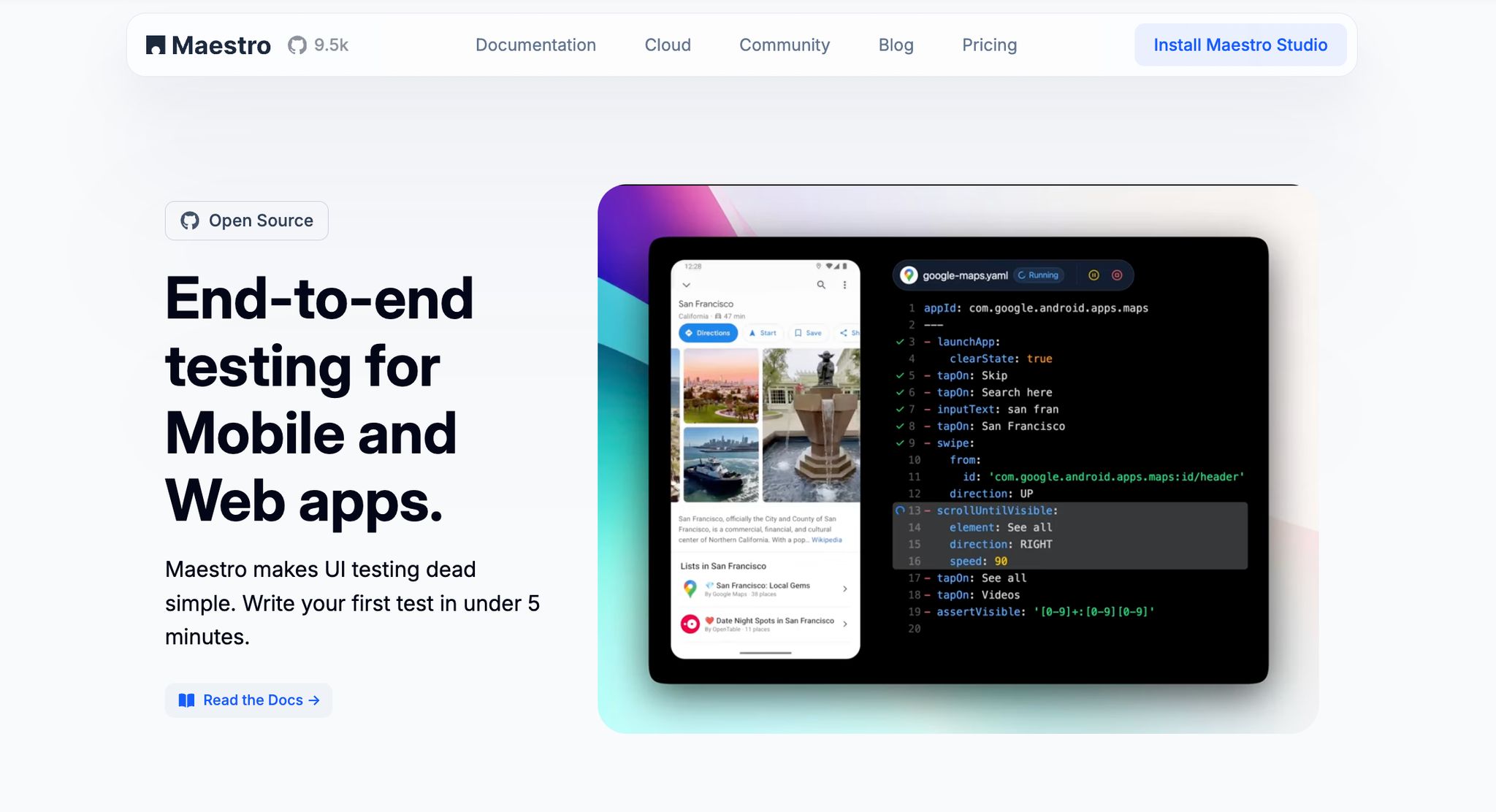
Maestro makes test creation for mobile and web applications easier with its declarative YAML approach. By simplifying the process, it removes unnecessary hurdles while still delivering key features and meaningful upgrades.
Instead of struggling with the unpredictable nature of mobile apps and devices, Maestro embraces it. Its built-in tolerance mechanisms handle common issues like inconsistent UI element placement and unreliable screen interactions, working behind the scenes to keep tests running smoothly.
Platform Coverage
Maestro provides broad cross-platform support, catering to the diverse needs of modern app development. It supports iOS (simulators only), Android (including physical devices), React Native, Flutter, WebViews, and native apps. For web testing, it extends its reach to desktop browsers, making it a one-stop solution for teams juggling multiple platforms.
The framework is compatible with a variety of UI technologies. On Android, it works with both traditional Views and Jetpack Compose. For iOS, it supports UIKit and SwiftUI. This extensive platform compatibility ensures that teams can integrate Maestro regardless of their tech stack.
Setup Made Simple
Maestro focuses on ease of setup with a single binary installation that works across different environments. There’s no need for complicated configurations or juggling multiple dependencies. Teams can get started quickly without wasting time on setup headaches.
To install Maestro, use Homebrew:
brew tap mobile-dev-inc/tap && brew install maestro.
Once installed, running tests is as simple as executing:
maestro test flow.yaml.
This streamlined process, combined with its flakiness management, makes Maestro a user-friendly choice for testing.
Handling Flakiness
One of Maestro’s standout features is how it deals with flakiness - a common challenge in UI testing. It automatically addresses issues like UI elements appearing in unexpected places or screen taps not registering properly.
There’s no need for manual sleep() calls, as Maestro’s built-in delay tolerance waits only when necessary. Whether it’s data loading over a network or rendering complex UI components, the framework ensures everything is ready before proceeding.
Integration Capabilities
Maestro integrates seamlessly into continuous integration (CI) workflows, supporting parallel test execution across multiple devices through its cloud platform. It works with popular CI/CD systems and even offers pull request integration, enabling automated testing during code reviews.
For those who prefer a visual approach, Maestro provides Maestro Studio, a desktop app for creating and managing tests without requiring coding skills. This opens the door for QA teams and other stakeholders to actively participate in the testing process.
Pricing
Maestro follows a freemium pricing model, making it accessible to teams of all sizes. The open-source version is completely free for local testing, including access to the CLI, Maestro Studio, and AI-powered features.
For those needing cloud-based testing, Maestro offers paid plans. Pricing includes:
- $250 per device per month for Android and iOS testing.
- $125 per browser per month for web testing.
These plans include unlimited test runs, parallel execution, detailed reporting, and CI integration.
For enterprise users, custom pricing options are available. These include features like single sign-on (SSO), premium support, and fully-managed test case development. This tier is ideal for organizations with specific needs or those looking for a managed testing solution.
2. Selenium
Selenium has been a cornerstone of web automation for over 20 years. While it provides robust tools for automating web applications, its setup and usage can be challenging, especially for those without technical expertise.
Platform Coverage
Selenium is designed specifically for web browser automation and supports all major browsers, including Chrome, Firefox, Safari, Edge, and even Internet Explorer. It operates seamlessly across different operating systems like Windows, macOS, and Linux, making it a reliable choice for teams working in diverse environments. Additionally, Selenium supports multiple programming languages such as Java, Python, C#, Ruby, and JavaScript, giving developers the freedom to use the language they’re most comfortable with. However, its focus on web browsers means that teams testing mobile applications must pair Selenium with other tools to cover those needs.
Setup Complexity
Setting up Selenium can be a bit of a hurdle. It requires manual configuration, including managing browser-specific drivers that must align with the browser versions in use. This adds a layer of ongoing maintenance. As noted by BrowserStack, "Requires setup and customization, which can be difficult for beginners.".
Another challenge lies in writing the tests themselves. Selenium tests are built using full programming languages, so developers need a solid understanding of concepts like object-oriented programming, exception handling, and test framework structures to create effective and reliable tests.
Flakiness Handling
One of Selenium's downsides is its inability to handle dynamic elements and network delays out of the box. Developers often have to write custom wait strategies, which can lead to fragile, unreliable tests. Additionally, test execution can be slow, particularly for large or complex test suites or when running tests on older browser versions. This can make it difficult for teams that rely on quick feedback loops.
Integration Capabilities
Selenium integrates with popular CI/CD tools and build systems like Maven and Gradle, making it a good fit for automated pipelines. However, it lacks built-in reporting capabilities, so teams often need to rely on third-party tools to generate detailed test reports. These extra requirements can add to the overall cost and effort.
Pricing
Selenium is completely open-source and free to use. However, the total cost of ownership may increase when you factor in the need for additional tools, infrastructure, and skilled developers to manage and maintain the framework.
"Selenium is a robust and widely used test automation framework, but it can be difficult to learn and slow to run tests." - Sauce Labs
3. Appium
Appium is an open-source framework designed for automating mobile UI tests. While it's a powerful tool, it does come with a steep learning curve and demands a good amount of technical know-how.
Setup Complexity
To use Appium effectively, you'll need solid coding skills and the ability to configure it precisely. Without these, setting up and running tests can quickly become challenging.
Flakiness Handling
One of Appium's drawbacks is its tendency toward reliability issues. It doesn't offer built-in solutions to manage flakiness, which means teams often have to create their own custom strategies, like implementing wait times and retry mechanisms, to ensure tests run smoothly.
sbb-itb-e343f3a
4. Cypress
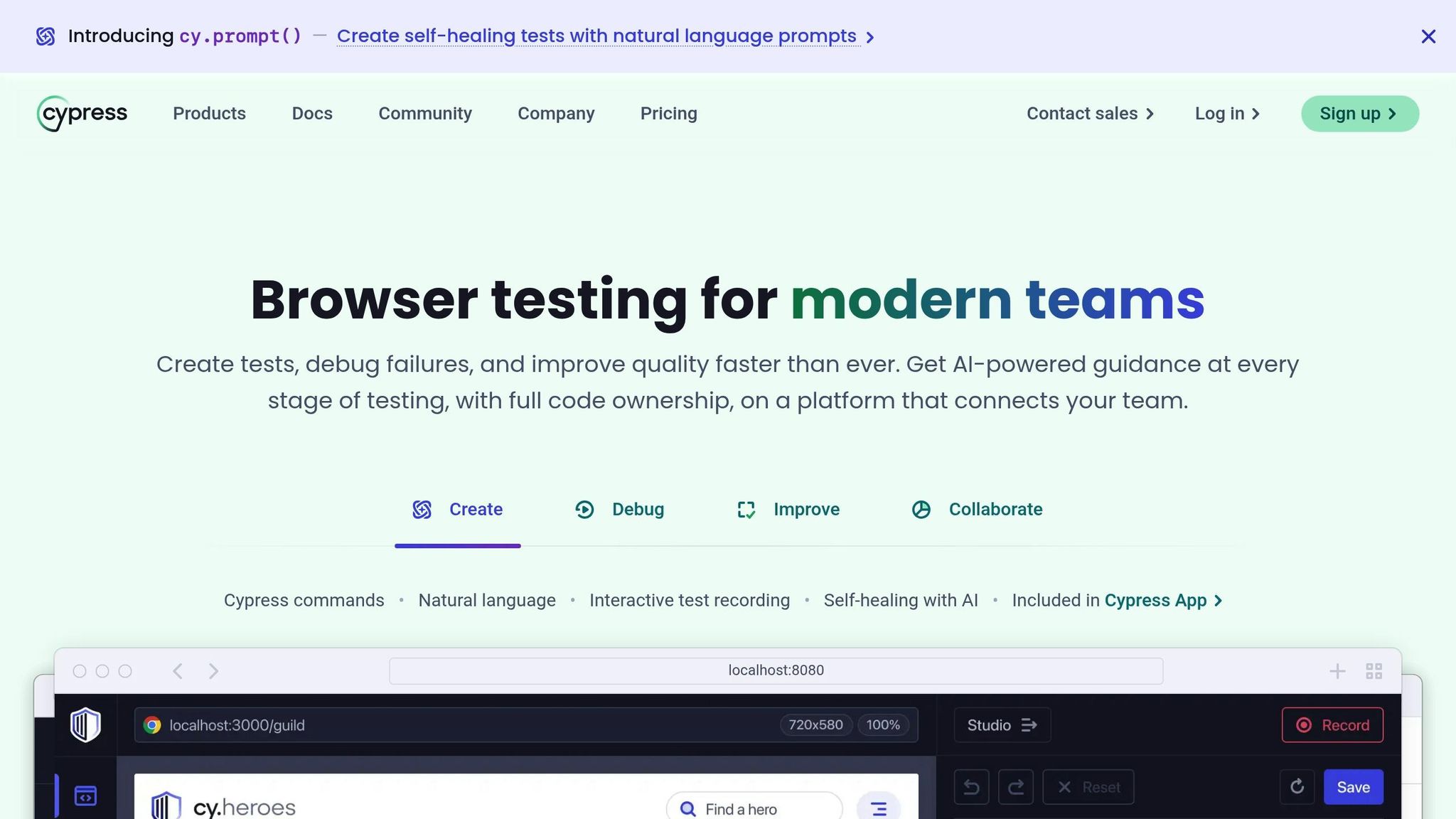
Cypress is a testing framework tailored specifically for web applications, praised for its ease of use and reliability.
Platform Coverage
Cypress is designed exclusively for testing web applications. It supports Chrome-family browsers, Firefox, Edge, and experimental WebKit (Safari's browser engine) support.
Cypress cannot test native mobile applications or multiple browser tabs simultaneously. For mobile app testing or cross-platform native apps, frameworks like Maestro or Appium would be more appropriate.
Setup Complexity
Getting started with Cypress is straightforward. It installs via npm and provides a user-friendly graphical interface for creating and running tests. Unlike some other frameworks, it doesn’t require complex configuration files or intricate setup processes, making it accessible even for those new to testing frameworks.
Flakiness Handling
Cypress includes several built-in features to address test flakiness. For instance, it automatically retries failed commands and waits for elements to load without requiring explicit delays, which improves test stability.
One of its standout features is the "time-travel" debugging tool. This allows you to review previous test states, making it easier to pinpoint the cause of failures. Additionally, Cypress records and replays test runs, simplifying the process of diagnosing intermittent issues.
Real-time error reporting is another helpful feature, delivering detailed information the moment an issue arises. This allows teams to quickly identify and address problems. Developers can also take advantage of its network stubbing and mocking capabilities to control network requests and responses, reducing the risk of tests failing due to backend inconsistencies.
Integration Capabilities
Cypress integrates smoothly with popular development tools and CI/CD pipelines. It natively supports JavaScript and TypeScript and works seamlessly with modern frameworks like React, Angular, and Vue.js. It also connects easily with CI services, providing detailed test reports and screenshots for failed tests. This integration makes it a solid choice for teams looking to streamline their testing workflows and potentially explore other frameworks, such as Detox, for additional testing needs.
5. Detox
Detox is an open-source framework designed specifically for testing React Native apps on both iOS and Android platforms.
Platform Coverage
Detox is tailored for React Native apps, so if your project includes native iOS, native Android, or web applications, it might not be the most suitable option. On iOS, Detox uses EarlGrey (not XCUITest) for gray-box testing, which provides better synchronization with React Native's asynchronous operations compared to traditional black-box approaches.
Setup Complexity
Getting Detox up and running can be a bit tricky, especially when setting it up for continuous integration (CI) environments. It requires access to native builds and a Mac developer license for testing on real iOS devices. You'll also need a solid understanding of the React Native build process and native development. The setup involves configuring build settings, setting up simulators, and managing dependencies.
Flakiness Handling
While Detox strives for reliable test execution, it can sometimes falter under heavy CI workloads. This may require additional stabilization efforts to ensure smooth operation, especially in more demanding CI workflows.
Integration Capabilities
Detox integrates well with CI/CD pipelines and React Native workflows. However, its ecosystem is somewhat limited when it comes to third-party extensions, which might be a consideration depending on your specific needs.
Pricing
As a free and open-source tool, Detox has no direct costs. The only expense comes into play if you're testing on real iOS devices, as you'll need a Mac developer license for that.
Framework Strengths and Weaknesses
Every UI testing framework comes with its own set of advantages and challenges, making it essential to evaluate them carefully to find the right fit for your project. Below, we’ve outlined the key strengths and drawbacks of some popular frameworks to help you make an informed choice.
Framework Highlights
Maestro simplifies testing with its ability to handle delays automatically, eliminating the need for manual waits. Its declarative YAML syntax ensures tests are easy to read, even for non-technical team members. QA professionals can also use Maestro Studio to create tests visually without writing code. With cross-platform compatibility, it supports Android, iOS, React Native, Flutter, and web applications - all under one tool. However, as a relatively new framework, it has a smaller community compared to more established options.
Selenium boasts extensive web browser support and the largest community, offering a wealth of documentation and third-party integrations. Its maturity ensures robust ecosystem support and widespread industry adoption. On the downside, it involves significant setup complexity, particularly for cross-browser environments, and is prone to flakiness, requiring additional effort in test design and maintenance.
Appium excels in mobile testing, covering both native and hybrid applications on iOS and Android. Its WebDriver-based approach feels familiar to web automation engineers. That said, Appium is often criticized for slow execution, a complex setup process, and reliability challenges that demand extra debugging.
Cypress is known for its fast and reliable test execution, along with an excellent developer experience. The interactive test runner and real-time browser preview make debugging straightforward. However, it is limited to Chromium-based browsers and cannot test multiple browser tabs or windows simultaneously.
Detox is tailored for React Native applications, offering deep integration with the ecosystem and consistent handling of components across platforms. When configured correctly, it delivers reliable test execution. Still, its narrow focus makes it unsuitable for native iOS, native Android, or web applications, and its setup process can be quite challenging.
Key Comparison Metrics
Here’s a quick side-by-side comparison of the frameworks based on critical factors:
| Framework | Platform Support | Setup Complexity | Flakiness Handling | Community Size | Best For |
|---|---|---|---|---|---|
| Maestro | Android, iOS, React Native, Flutter, Web | Low | Excellent | Growing | Cross-platform testing with minimal maintenance |
| Selenium | Web browsers | High | Poor | Very Large | Comprehensive web testing across browsers |
| Appium | Android, iOS (native & hybrid) | High | Poor | Large | Mobile-specific testing requirements |
| Cypress | Web browsers (primarily Chrome) | Medium | Good | Large | Modern web application testing |
| Detox | React Native only | High | Good | Medium | React Native exclusive projects |
Cost Considerations
The cost of using these frameworks can vary widely. Maestro offers a free open-source version, with cloud scaling priced at $250/month per mobile device and $125/month per web browser. Selenium, Appium, and Detox are free and open-source, but you’ll need to account for infrastructure expenses, such as device labs or cloud testing services. Cypress provides a free tier, with paid plans starting at around $75/month for additional features like parallelization.
Integration Capabilities
Integration options also differ across frameworks. Maestro includes built-in CI/CD integration with detailed reporting and PR/MR integration in its cloud offering. Appium is compatible with most CI systems but often requires custom setups for device management. Cypress provides seamless CI integration with detailed reporting, while Detox integrates smoothly into React Native workflows but has limited support for third-party extensions.
Learning Curve
Ease of adoption is another important factor to consider. Maestro’s YAML-based syntax and visual Studio interface make it accessible for team members with varying technical skills. Selenium, on the other hand, requires strong programming knowledge and a solid grasp of web technologies. Appium demands technical expertise, particularly with WebDriver protocols. Cypress offers an intuitive API but still requires familiarity with JavaScript. Detox calls for expertise in React Native and an understanding of native build processes.
Conclusion
The comparisons above highlight how each framework caters to different testing needs, making your choice dependent on your project's specific requirements, your team's expertise, and your long-term objectives.
Maestro stands out for its simplicity and cross-platform capabilities, offering an easy-to-use YAML setup and visual test creation that’s accessible to all team members.
Selenium provides extensive browser support and a well-established ecosystem, though it requires more setup effort. Appium is ideal for mobile testing but comes with added complexity. Cypress shines with its fast execution tailored for modern web applications, while Detox specializes in testing React Native apps. Each framework brings unique strengths to the table.
When selecting a framework, prioritize ease of use, maintenance burden, and cross-platform support. Maestro stands out with its YAML-based simplicity, built-in flakiness handling, and true cross-platform coverage (Android, iOS, React Native, Flutter, and web) - all without requiring programming expertise. While Selenium and Appium serve specialized web and mobile-only needs respectively, they require significant technical overhead. Cypress excels for web-only projects but cannot test mobile apps.
Ultimately, the best framework is one your team can confidently implement and sustain over time. Start with a pilot project to test its integration and effectiveness before committing fully.