
Scalable test flows ensure your test automation grows with your app, avoiding the common pitfalls of fragility, slow performance, and high maintenance. Here's what you need to know to keep your test flows effective over time:
- Version Control: Use tools like Git to track changes, collaborate, and roll back when needed. YAML-based test flows make this process simple and transparent.
- Clear Documentation: Modularize tests (e.g., "Login Flow"), use descriptive file names, and add comments to explain business logic. Tools like Maestro Studio and MaestroGPT simplify documentation with visual aids and AI guidance.
- Modular Test Design: Break tests into reusable components (e.g., Login, Checkout). This keeps updates localized and avoids rewriting entire suites.
- Health Monitoring: Track metrics (pass rates, execution times) to identify issues early. Automate alerts for failures or performance drops.
- Regular Maintenance: Audit tests periodically to remove outdated or redundant flows. Use tools to handle UI instability and network delays automatically.
- CI/CD Integration: Incorporate tests into pipelines for continuous feedback. Run tests at key stages and use detailed reports to track performance.
Setting Up Version Control and Documentation
Strong version control and clear documentation are the backbone of manageable test automation. Without these essentials, even the best-designed test flows can quickly become chaotic as teams expand and applications evolve.
Version Control for Test Flows
Using version control systems like Git is crucial for managing test flows over time. Git tracks changes in text-based YAML files line by line, making it easy to merge contributions and resolve conflicts. This ensures that every modification is transparent and traceable.
Maestro's declarative YAML file format works seamlessly with version control. Unlike binary test files, YAML simplifies collaboration and makes changes easier to manage.
With rollback capabilities, you can quickly revert to a previous version if a change introduces issues. This flexibility encourages experimentation and rapid iteration without worrying about permanently damaging your test suite.
Version control also improves teamwork. Housing test flows in the same repository as application code allows developers and QA teams to review changes through familiar pull request processes. This integration ensures that test updates align with application changes and receive proper review, creating a solid foundation for effective documentation.
Creating Clear Documentation
Once version control is in place, thorough documentation turns test flows into resources that anyone on the team can understand and modify. The declarative nature of YAML provides a step-by-step format that’s easy to follow.
Organizing tests into modular flows enhances clarity. For instance, you can structure tests into distinct flows like "Login Flow", each representing a specific part of the user journey. This modular setup simplifies maintenance and clearly defines boundaries for different functionality areas.
Descriptive naming conventions are also key. Use file names that immediately convey the test’s purpose, such as user-registration-happy-path.yaml or payment-error-handling.yaml. Grouping these files into folders that mirror your application’s feature layout makes it easier for team members to locate specific tests. This organization not only speeds up initial test creation but also simplifies updates as your app evolves.
Visual tools like Maestro Studio’s element inspector make documentation even clearer. By visually identifying UI elements and recording actions, teams can create test commands that are both accurate and easy to understand. This approach bridges technical implementation with business requirements, ensuring everyone is on the same page.
AI-powered tools like MaestroGPT further simplify the process. They can generate commands and explain complex flows, helping maintain consistency in documentation across the test suite.
The straightforward syntax of YAML ensures that both technical and non-technical team members can understand test flows. When developers, QA professionals, and product managers can all read and contribute to test definitions, collaboration improves, and knowledge sharing becomes more fluid.
Lastly, documentation should clearly outline what each test validates and how it fits into the overall testing strategy. Adding comments within YAML files to explain business logic, edge cases, or special considerations provides valuable context for future updates and maintenance. This level of detail ensures that your test suite remains a reliable resource as your application grows.
Building Modular and Reusable Test Flows
Breaking down testing into modular components can transform complex processes into manageable, reusable pieces. This approach makes maintaining tests easier and ensures they remain relevant as your application evolves.
Breaking Tests into Small Components
The secret to effective testing lies in treating user interactions as standalone, manageable modules. Instead of cramming an entire user journey into one massive test, splitting it into smaller, focused modules improves clarity and reusability.
For instance, you can create separate flows for key actions like logging in, adding items to a cart, or completing a checkout. A Login Flow handles authentication, an Add to Cart Flow deals with product selection, and a Checkout Flow focuses on payment processing. This modular setup allows you to target specific areas for updates without affecting the rest of your test suite.
This structure not only simplifies updates but also makes isolating issues easier. If there’s a change in the login screen, you only need to adjust the Login Flow, leaving the rest untouched.
Another advantage is the ability to combine these smaller flows into larger test cases. For example, a full purchase scenario can link the Login Flow, Add to Cart Flow, and Checkout Flow. This flexibility supports everything from focused unit tests to broader integration tests, all using the same reusable components.
Once these modular building blocks are in place, using straightforward, readable syntax can further streamline team collaboration and test maintenance.
Using Simple Syntax for Test Writing
Simple, declarative syntax lowers the barriers for anyone to contribute to test creation and maintenance. YAML-based flows, like those used in Maestro, are an excellent example of how readable commands can replace more complex programming.
Here’s an example for Android:
# flow_contacts_android.yaml
appId: com.android.contacts
---
- launchApp
- tapOn: "Create new contact"
- tapOn: "First Name"
- inputText: "John"
- tapOn: "Last Name"
- inputText: "Snow"
- tapOn: "Save"
And for iOS:
# flow_contacts_ios.yaml
appId: com.apple.MobileAddressBook
---
- launchApp
- tapOn: "John Appleseed"
- tapOn: "Edit"
- tapOn: "Add phone"
- inputText: "123123"
- tapOn: "Done"
Each line in these examples is a clear, human-readable action, making it easy for non-technical team members to understand and even contribute.
"Maestro Studio empowers anyone - whether you're a developer, tester, or completely non-technical - to write Maestro tests, without sacrificing maintainability or reliability."
The readability of YAML flows turns tests into self-documenting guides. They resemble step-by-step instructions, making it possible for non-technical contributors, like product managers, to verify that test flows align with the desired user experience.
This simplicity also encourages broader participation in maintaining tests. Developers, QA teams, and even product managers can all pitch in to keep tests aligned with evolving features, ensuring that the suite stays current.
Monitoring Test Health and Performance
Once you've built reliable and reusable test flows, the next step is keeping an eye on their performance. Why? Because regular monitoring is the backbone of a scalable testing process. Without it, small glitches can quickly escalate into major setbacks. Flaky tests, for instance, can erode trust in your testing framework and slow down development progress. To stay ahead of these issues, focus on tracking key performance indicators that help you catch problems early.
Tracking Key Test Health Metrics
Keep an eye on metrics like pass/fail rates, execution times, and failure counts to spot issues before they spiral out of control. For example, a drop in pass rates might hint at application changes or environmental hiccups. Similarly, longer execution times could point to network delays, resource bottlenecks, or inefficient test logic. Frequent failures might flag instability caused by timing issues or dependencies on external environments.
Modern testing platforms provide detailed dashboards to simplify this process. Take Maestro's cloud infrastructure as an example - it tracks metrics like 5.9k flow runs (an increase of 8.4%), 13 failed runs (a drop of 43.1%), an average run time of 5 minutes 7 seconds (or 2 minutes per flow), and an 88.5% pass rate (up by 13.2%). Such tools not only display performance data but also help teams respond faster.
To act quickly, set up automated alerts for key events like sudden drops in pass rates, spikes in execution times, or repeated failures in critical user flows. These notifications ensure your team can tackle issues as they arise. And don’t stop there - schedule regular reviews of your metrics to keep your test suite running smoothly.
Scheduling Regular Test Maintenance
Think of test maintenance as a routine health check for your suite. Without it, technical debt can creep in, making your tests harder to manage. Regular audits help you review performance metrics, weed out outdated flows, and eliminate redundant tests. During these audits, pay close attention to tests that consistently perform poorly or fail frequently - they might need updates to align with current workflows or user interfaces.
Periodic reviews also reveal larger trends across your test suite. Look for tests covering features that are no longer in use, flows that haven’t been updated in ages, or opportunities to merge overlapping test scenarios.
Tools that handle flaky tests and delays automatically can save you time. Features like automatic handling of UI instability and network delays reduce the need for manual fixes like sleep() calls, cutting down on false negatives and debugging headaches.
Finally, automate as much as possible. Archive outdated tests and flag those with persistent issues. The goal is to make maintenance a regular part of your process, not something you scramble to do in a crisis. By staying proactive, you can ensure your test suite remains reliable and ready to scale.
sbb-itb-e343f3a
Updating Test Flows for Application Changes
When your application evolves - whether through new features, updated interfaces, or workflow changes - keeping your test flows current is key. With a solid foundation in version control and modular design, make it a priority to update tests as soon as changes go live. Keep an eye on your CI/CD pipeline; a spike in failures or a noticeable dip in pass rates often signals that your test flows need attention.
Refactoring Tests for New Features
Every time a new feature is introduced or an existing one is modified, your tests need an immediate refresh. Using YAML can simplify this process, offering clarity and making updates more manageable. This way, you can focus on refining test logic without getting bogged down in overly complex code.
UI updates, in particular, benefit from visual element inspection. Tools like Maestro Studio streamline this process by quickly identifying updated element selectors, eliminating much of the guesswork. For example, if a button is relocated or a form field is updated, you can pinpoint the new selectors and adjust your test flow with ease.
To prevent minor application changes from constantly breaking your tests, ensure your framework is resilient to UI flakiness and network delays. Combined with fast iteration capabilities - enabled by interpreted tests and real-time monitoring - you can quickly adapt your test flows and see the results immediately, supporting a more agile approach to refactoring.
| Metric | What It Tells You | Action Needed |
|---|---|---|
| Failed runs increase | Tests are outdated or broken after app changes | Review and update the impacted test flows |
| Passing percentage drops | A higher number of tests are failing due to app updates | Conduct a thorough review of the entire test suite |
Once you've updated tests for new features, take the time to clean up by removing outdated or redundant tests. This ensures your suite stays lean and relevant.
Removing Outdated and Duplicate Tests
Frequent updates also mean it's essential to retire tests that no longer align with your application's current state. Regularly review your test flows to ensure they reflect active user workflows and relevant features. Tests covering deprecated features or workflows should be removed or archived. This ongoing cleanup not only streamlines your testing process but also reduces unnecessary noise in test results and keeps execution times efficient.
Using Maestro for Scalable Testing
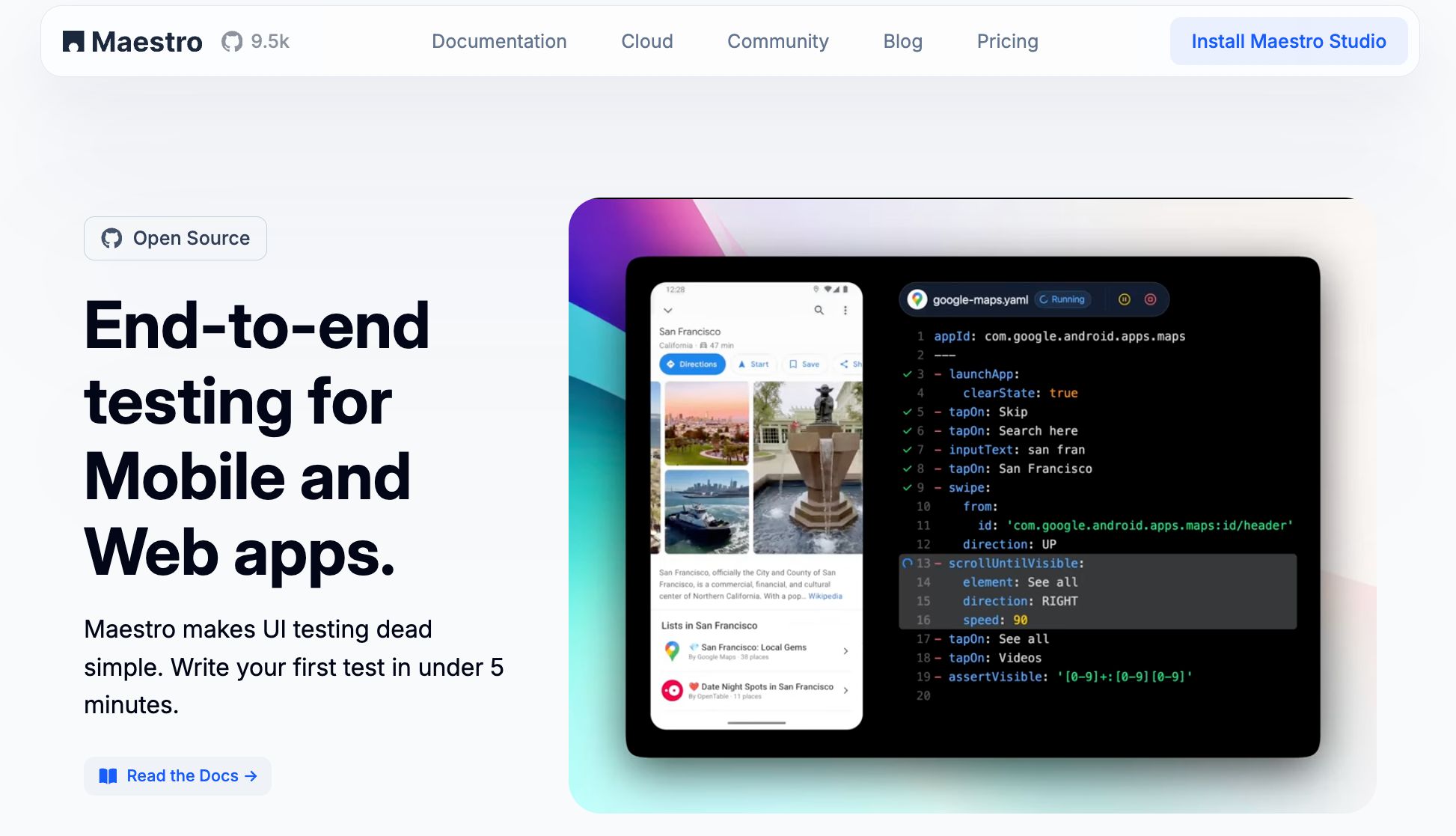
Maestro tackles the challenges of scalable test maintenance by offering a unified solution for mobile and web app testing. Instead of juggling multiple frameworks, you can use Maestro to test Android, iOS, and web apps with a single tool. This approach ensures consistency across your application portfolio and reduces the fragmentation that often complicates test environments.
Creating Tests with Maestro Studio
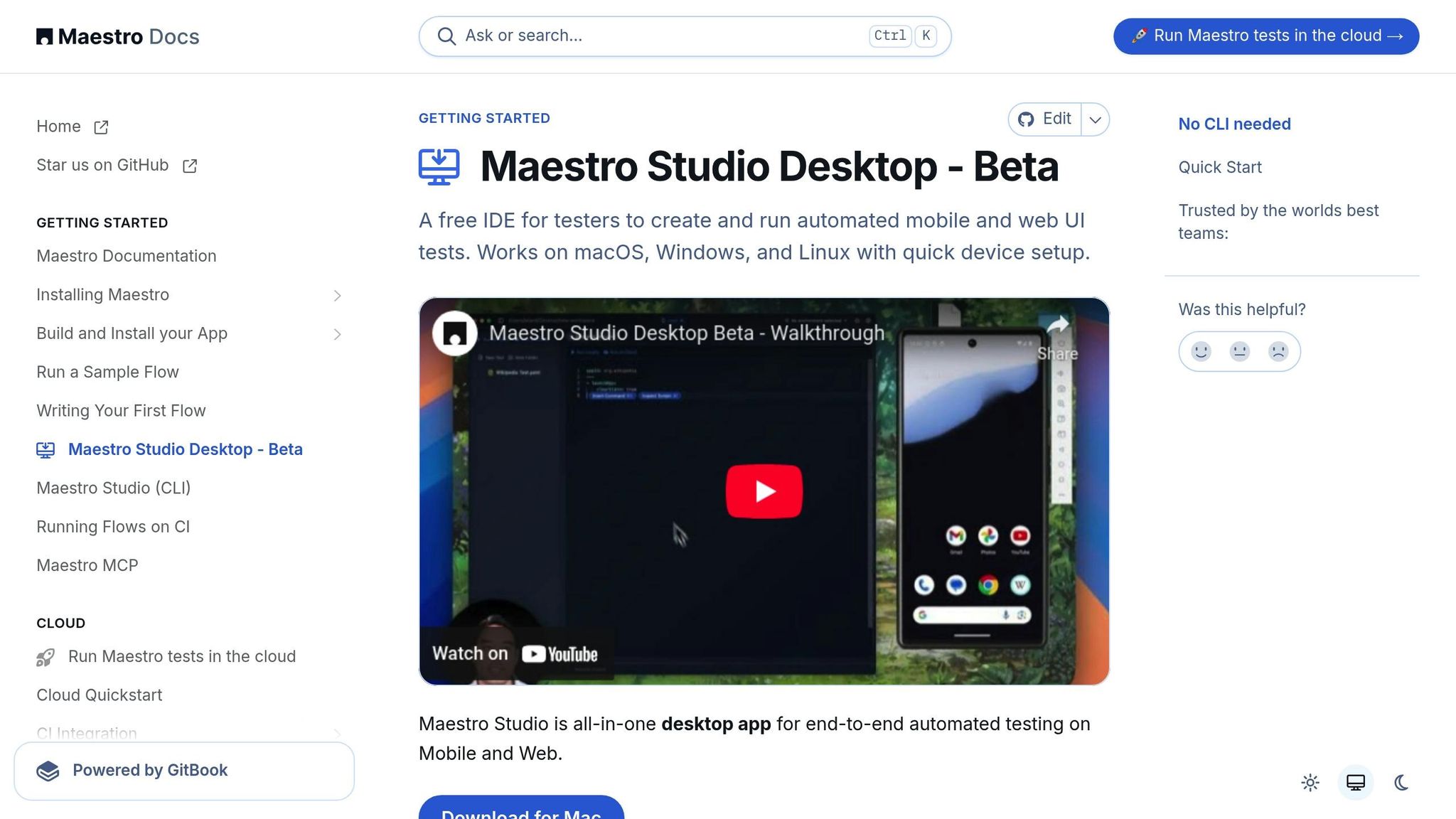
Maestro Studio transforms test creation into a visual and intuitive process. This desktop application empowers any team member - whether a QA professional, product manager, or business analyst - to build and manage test flows without needing to write any code.
The element inspector simplifies identifying UI components. Just point and click to capture element properties, eliminating the guesswork that often accompanies test updates when applications change.
With its recording functionality, Maestro Studio makes test creation even easier. As you interact with your app - tapping buttons, filling out forms, or navigating screens - the tool automatically generates reusable test commands. This feature is especially helpful for onboarding new team members or updating tests for redesigned interfaces.
Maestro also incorporates AI-assisted features through MaestroGPT, which provides tailored command suggestions and step-by-step guidance for more complex test scenarios. The combination of visual tools and AI-driven assistance ensures that maintaining tests doesn’t become a roadblock as your application evolves.
Once your tests are created visually, maintaining them is just as simple thanks to Maestro's YAML-based system.
Using YAML Flows for Easy Maintenance
Maestro uses a declarative YAML syntax to make test flows easy to read and maintain. This clarity ensures that anyone on your team can understand and update tests, even if they weren’t the ones who originally wrote them.
Another advantage of YAML flows is their interpreted nature. Since they don’t require compilation, you can make changes and instantly see the results. Maestro continuously monitors your test files and automatically reruns them whenever changes are detected, enabling rapid iteration during updates.
"Tests are interpreted, so no need to compile anything. Maestro is able to continuously monitor your test files and rerun them as they change".
This fast feedback loop allows you to quickly validate updates, catch issues early, and maintain confidence in the reliability of your test suite.
Handling Flaky Tests Automatically
Flaky tests - those that fail unpredictably due to timing issues, network delays, or UI inconsistencies - are a common pain point in scalable testing. Maestro addresses this directly by building reliability into the testing engine itself.
"Built-in tolerance to flakiness. UI elements will not always be where you expect them, screen tap will not always go through, etc. Maestro embraces the instability of mobile applications and devices, and counters it under the hood".
This built-in tolerance ensures that your tests remain stable even when your app behaves unpredictably. Instead of spending time tweaking tests to handle edge cases, you can focus on testing core functionality while Maestro manages the underlying instability.
Maestro also employs an intelligent waiting mechanism that adapts to actual loading times. It waits only as long as necessary, avoiding unnecessary delays while keeping your test suite fast and reliable. This reduces the need to constantly adjust timing parameters as your app’s performance evolves.
With these automated reliability features, Maestro minimizes the ongoing maintenance of your test flows, delivering consistent results and enabling your testing to scale effortlessly as your application and team grow.
Adding Test Flows to CI/CD Pipelines
Incorporating test flows into your CI/CD pipeline is a smart way to catch issues automatically before they hit production. It ensures continuous feedback on your application's health and helps stop regressions in their tracks.
To make the most of this, run tests at different stages of your pipeline. For example, during pull requests and pre-release stages, tests can catch issues early and validate critical user flows. Meanwhile, nightly builds allow for more thorough test coverage without slowing down your team's daily workflow.
Setting Up CI/CD Integration
The Maestro CLI makes it easy to integrate test flows into your CI/CD pipeline. This lightweight tool works across environments, letting you install and configure it to execute YAML-based test flows at key stages. YAML's compatibility with version control ensures that updates to your tests stay aligned with changes in your application.
As your test suite grows, running tests in parallel becomes crucial to avoid bottlenecks. Maestro's enterprise-level cloud infrastructure supports simultaneous execution of multiple test flows, cutting down overall runtime significantly within your pipeline. To keep things running smoothly, set clear failure conditions to halt deployments when critical tests fail. Also, configure notifications to alert your team immediately, so issues can be resolved quickly and efficiently.
Smoke tests are another essential piece of the puzzle. These quick, automated checks provide early warnings about potential problems and help speed up your CI/CD process. The execution data they generate is invaluable for improving your pipeline over time.
Creating Useful Test Reports
When tests are part of your CI/CD pipeline, detailed reports transform raw execution data into actionable insights. Metrics from the Maestro cloud infrastructure, such as total flow runs, failed runs, average run times, and overall pass rates, give you a clear picture of your test suite's health.
These metrics establish a baseline for performance, making it easier to spot when something starts to go wrong. For example, if average run times start creeping up, it could indicate performance issues in your application. Similarly, rising failure rates might signal the need to update or stabilize certain tests.
Make sure your CI/CD pipeline is set up to generate and store these reports automatically. This ensures your team can access them whenever needed. Visual dashboards that display critical metrics and send alerts when thresholds are exceeded can help keep everyone accountable for maintaining the test suite. Use the data to focus your maintenance efforts - tests that fail frequently or take too long to run should be optimized or refactored first.
Conclusion: Building Long-Term Test Strategies
Creating a lasting and effective test automation strategy requires a thoughtful approach that includes version control, modular design, and consistent maintenance. These elements work together to ensure your testing processes remain efficient and adaptable as your application evolves.
Version control is essential for treating your test flows as living, dynamic components. It allows teams to track changes, collaborate effectively, and maintain a clear history of updates, ensuring that your test suite evolves alongside your application.
A modular design approach breaks your test suite into smaller, reusable components. This makes updates simpler and more efficient - when a feature changes, you only need to adjust the relevant module instead of rewriting entire test suites. This flexibility ensures your testing process remains agile and reduces the burden of major overhauls.
The value of a maintenance-focused strategy is backed by metrics. Data shows significant improvements in both flow stability and overall efficiency when maintenance is prioritized. These metrics not only highlight the health of your test suites but also help pinpoint areas that need attention before minor issues become major setbacks.
Regular upkeep is the backbone of reliable test automation. Tools like Maestro, with built-in tolerance for flakiness and delays, reduce the need for constant manual intervention. However, monitoring key metrics - such as average run times and failure rates - remains critical. Catching performance issues early ensures your tests remain dependable and responsive to change.
AI-powered solutions like Maestro Studio simplify the process even further. By making test creation and maintenance accessible to both technical and non-technical team members, these tools encourage broader team participation. This way, the responsibility for maintaining tests doesn’t fall on just one person, preventing bottlenecks and ensuring smoother workflows.
"Advancements in AI and tooling have unlocked unprecedented speed, shifting the bottleneck from development velocity to quality control. This is why we built - a modern testing platform that ensures your team can move quickly while maintaining a high standard of quality."
Modern test automation strategies thrive on continuous adaptation. With mobile applications and devices constantly evolving, robust maintenance becomes essential for handling common challenges like flakiness and delays. Teams that incorporate their test flows into CI/CD pipelines, monitor meaningful metrics, and adopt modular designs are better equipped to identify and resolve issues early. By integrating version control, modular design, and proactive maintenance, your testing strategy can seamlessly support your application’s growth.
To build a testing system that scales alongside your application, focus on clear documentation, modular flows, version control, and data-driven decisions. These practices create a strong foundation for long-term success, no matter how your application or its requirements change.